The house rules section lets a guest review your rules before booking. The terms document, in turn, requires the guest's active acceptance via a checkbox, which has legal significance in case of disputes.
Where to set it
Settings → Apartment → the "Gallery, rules and area" card.
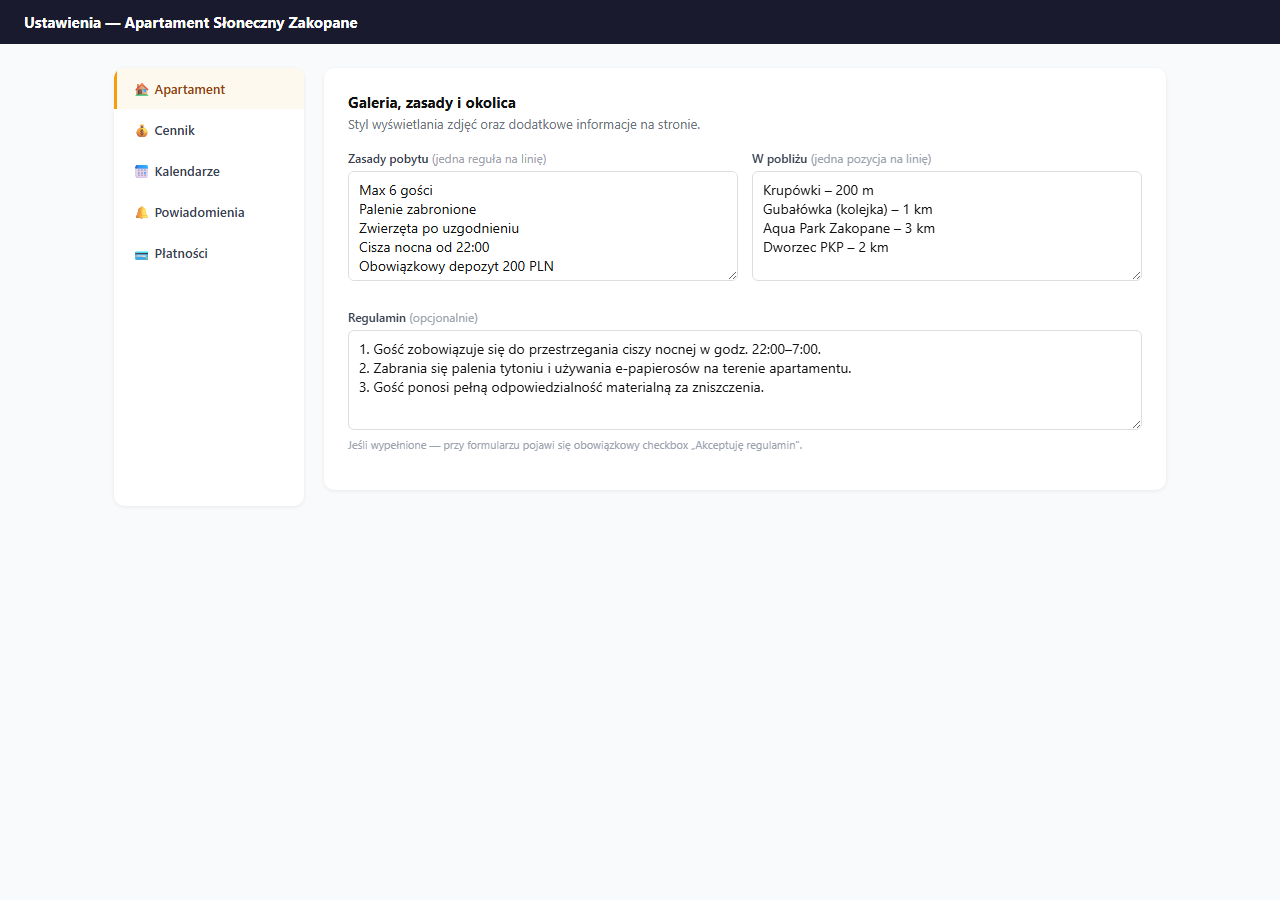
House rules
The House rules field is a list of rules shown on the guest page as bullet points under icons. Enter one rule per line, the system automatically formats them as a list.
Examples of commonly used rules:
Max 6 guests
No smoking (including e-cigarettes)
Pets by arrangement
Quiet hours 22:00 to 7:00
Mandatory 200 PLN deposit (cash at check-in)
Parties/events require arrangement
Rules don't require acceptance: the guest sees them as information. To require acceptance, use the Terms field. If you want to answer guest questions before booking, also set up an FAQ.
Terms (optional)
The Terms field is optional. If you fill it in:
- A "I accept the terms" checkbox (mandatory) appears next to the booking form.
- The guest cannot submit a booking without ticking the checkbox.
- A link to the terms content opens in a pop-up window.
The terms should contain detailed conditions: cancellation policy, damage liability rules, deposit information, etc.
If you run a business, consult the terms content with a lawyer. The text entered in this field becomes part of the contract with the guest.
The "Nearby" field
Next to the rules you'll find the Nearby field (one item per line). Enter attractions, infrastructure and distances, they'll appear on the guest page as a list helpful when choosing a location.
Krupówki – 200 m
Gubałówka (funicular) – 1 km
Aqua Park Zakopane – 3 km
Train station – 2 km
24h shop – 100 m
The "Nearby" list appears on the guest page directly below the interactive OpenStreetMap map, if you have the apartment's GPS coordinates set, the guest sees the map and list in one section. If coordinates are not set, the list displays on its own.
Guest contact details
In the same card, below the terms, you'll find two optional fields: "Guest contact phone" and "Guest contact e-mail". These are the details a guest can use to reach you before booking or during the stay, they appear in the "Contact details" section on the booking page (a separate sub-page, linked in the footer and the contact section).
These are not your account details. The phone and address you gave during registration and in the company profile stay private, these two fields let you publish a separate contact for guests, e.g. a phone number used only for booking support.
How it works:
- Filled in: the guest sees the phone and e-mail you entered here (clickable:
tel:andmailto:). - Empty: the "Contact details" section then shows your account details (the profile phone and e-mail). Leave them empty if you don't want to publish a separate contact and accept that the guest will see the account details.
You can fill in just one field, for example only the e-mail, without a phone.
Saving
Click "💾 Save apartment settings": the rules, terms, "Nearby" and contact details are saved together with the other settings in the Apartment section.
Frequently asked questions
What's the difference between house rules and terms?
House rules are an informational list: the guest sees them but doesn't have to accept them. The terms (the "Terms" field) add a mandatory "I accept the terms" checkbox next to the form and block the booking until it's ticked. The terms text becomes part of the contract with the guest.
Are the guest contact details my account details?
No. They're separate "Guest contact phone / e-mail" fields. Filled in: the guest sees the contact you entered. Empty: the "Contact details" section shows your company profile data. You can fill in just one field.
Where does the "Nearby" list appear on the guest page?
Directly below the interactive OpenStreetMap map, if you have the apartment's GPS coordinates set. Without coordinates, the list displays on its own.
Related articles: Guest FAQ · Amenities · Basic information (title, description, address, map) · Check-in instructions · Company details and owner profile · Language versions of the page