Every booking page comes with a blog at {your-name}.erphome.pl/blog. You write about the area: recommend restaurants, describe attractions, explain how to get there or where to park. This is content the apartment card itself will never show, yet it is exactly what guests planning a trip search for ("things to do in Kołobrzeg", "where to eat in Zakopane"). Fresh, local articles help your page appear in search results and give guests a reason to come back to it.
The blog is included in every subscription and runs in beta: we are working on further improvements, and your feedback is welcome.
The blog belongs to the account, not the apartment
A single article about a nearby restaurant serves all your apartments in the same town, so the blog is shared across the whole account. If you run several apartments, you can optionally pin an article to one of them while writing: then it shows primarily on that apartment's page.
How to write an article
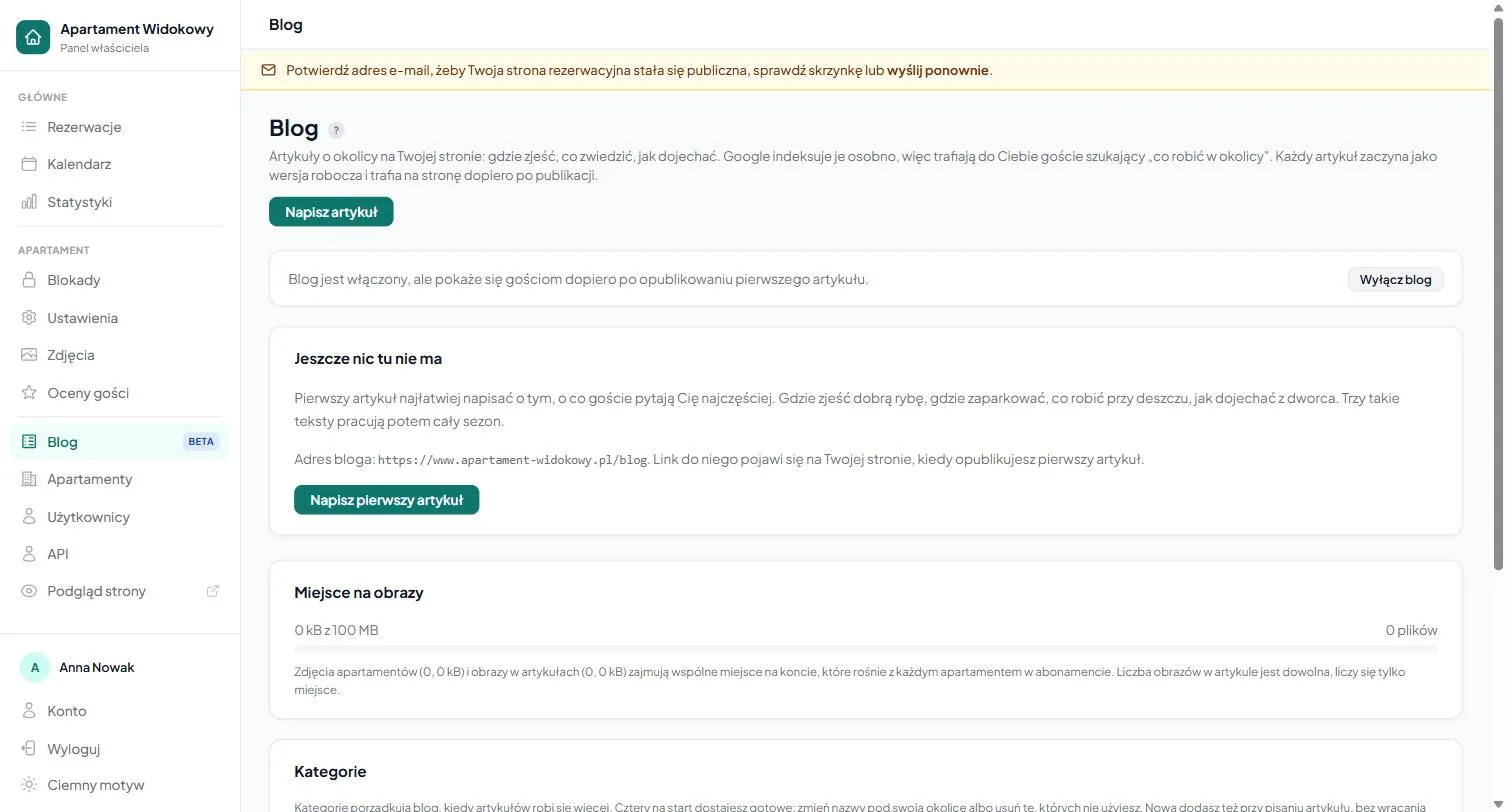
- In the panel, go to the Blog tab and click "Write an article".
- Enter a title: the article's address is built from it (you can change it in the field below).
- Write the content in the editor. It works like an ordinary text editor: bold, headings, lists, links and images go in from the toolbar, no coding required.
- Choose a category and (if you like) a cover image (the thumbnail shown on the article list and when the link is shared on social media).
- Click "Save draft" to return to the article later, or "Publish" to make it available to guests right away.
Drafts are visible only to you. An article reaches the page only after you publish it.
Categories
On first use, the blog creates four ready-made categories: Where to eat, What to see, Practical and Events. You can rename them and add your own: each article belongs to one category, and guests filter posts at /blog/kategoria/.... An account can have up to 20 categories and 200 articles.
Where guests see the blog
- At
{your-name}.erphome.pl/blog(and on your custom domain, if you connected one), with a list of all published articles. - In the "From the blog" section on the booking page, showing the latest posts with a link to the full blog.
- In the page footer as a "Local area blog" link.
Published articles are added automatically to the sitemap submitted to search engines, so you do not need to configure anything extra for Google to find them.
How to write so the blog works for you
- Be specific and local. "Five fish bars in Ustka we like ourselves" works better than a general piece about healthy eating. Local phrases are the entire value of this blog for search.
- One article, one topic. Easier to read and better for ranking.
- Add a cover image. A post with an image looks better on the list and when the link is shared.
Turning the blog on and off
In the Blog tab you can hide the whole blog at any time with a toggle: the articles stay saved but stop being visible to guests. Handy when you want to prepare a few pieces in advance and open the blog only for the season.
Frequently asked questions
Is the blog separate for each apartment?
No. The blog is shared across the whole account, because a single article about the area serves all your apartments in the same town. While writing, you can optionally pin an article to one property: then it shows primarily on that apartment's page.
Do I have to submit articles to Google?
No. Published articles are added automatically to the sitemap submitted to search engines: there's nothing extra to configure. Drafts stay visible only to you until you click "Publish".
How do I temporarily hide the blog from guests?
In the Blog tab, flip the whole-blog toggle: the articles stay saved but disappear from the page. Handy when you want to prepare pieces in advance and open the blog only for the season.
Related articles: Basic page information · Photos and gallery · Personalizing the look · How to share your page with guests · Custom domain · Additional apartments