The accent color and logo emoji are two elements that let you give your booking page an individual character, without writing any CSS.
Where to set it
Settings → Apartment → the "General information" card → the section at the bottom of the form.
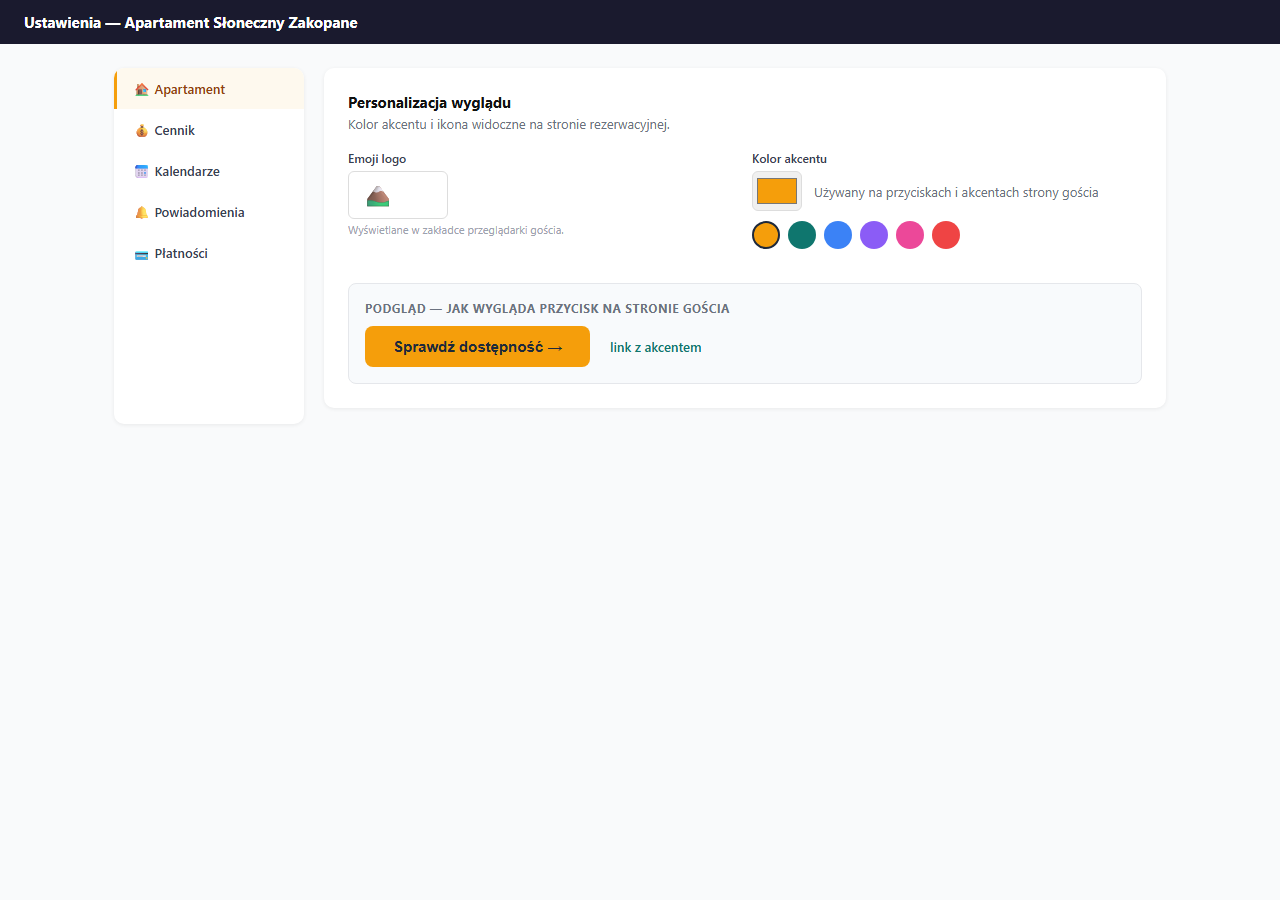
Accent color
The accent color is the hue used on:
- buttons: "Check availability", "Send request"
- link underlines and active form elements
- typographic accents: icons, stars, selected pricing elements
Click the color field to open the system color picker and choose any color. The change is visible right after you save the settings.
How to choose a good color
- Choose a color that contrasts with the white background, too-light colors are invisible.
- Match the color to the apartment's character: blue for seaside, green for mountain, warm yellows and browns for rustic.
- Avoid pure red (
#ff0000), it's associated with errors, not buttons. - Check how the button looks in the page preview after saving.
Example colors
| Character | Color | Hex |
|---|---|---|
| Default (gold) | 🟡 | #f59e0b |
| Seaside | 🔵 | #0ea5e9 |
| Mountain | 🟢 | #0F766E |
| Urban | 🟣 | #8b5cf6 |
| Rustic | 🟤 | #92400e |
Logo emoji
The logo emoji is the icon shown in:
- the browser tab: when a guest has your page open
- the favicon on mobile devices when adding the page to the home screen
Enter any emoji in the text field, e.g.:
🏔️: for mountain apartments🌊: for seaside ones🏛️: for historic city centers🌿: for agritourism and nature🏠: neutral, default
The emoji must be at most 8 characters long (in practice one is enough). The special characters < > & " ' / are not allowed.
Saving
Click "💾 Save apartment settings" at the bottom of the Apartment section. The color and emoji changes are visible to guests immediately after saving.
Frequently asked questions
Where does the accent color show up?
On buttons ("Check availability", "Send request"), link underlines, active form fields and typographic accents. The same color is also inherited by the booking widget embedded on your own site.
What is the logo emoji for?
It's the icon in the browser tab and the favicon when a guest adds the page to their phone's home screen. Enter any emoji (at most 8 characters; the characters < > & " ' / are not allowed).
Does changing the look require CSS knowledge?
No. You pick the color with the system color picker and type the emoji into a text field. Changes are visible to guests right after you click "Save apartment settings".
Related articles: Basic information (title, description, address) · Photos and gallery · Language versions of the booking page · Booking widget on your own website