When you have at least 2 apartments on your account, your main page (your-name.erphome.pl) automatically turns into an apartment catalog: a combined page with a list of all properties and an availability search.
What the catalog looks like
Guests see cards for each apartment: the main photo, the title, the price per night and the maximum number of guests. Above the list there's a date search: a guest can immediately check which properties are free on their dates.
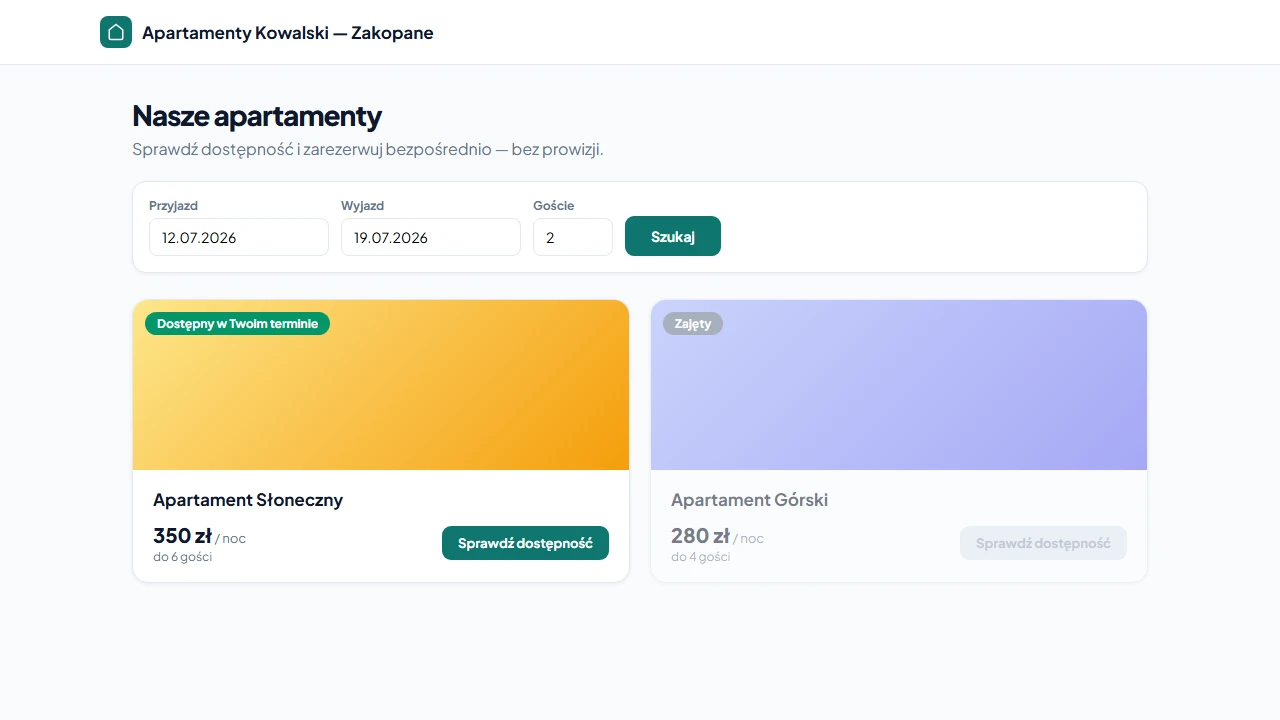
After clicking an apartment card, the guest goes to its full booking page.
Availability search
The search form accepts:
- check-in and check-out dates
- the number of guests
After searching:
- apartments available on the chosen dates appear at the top of the list
- apartments that are occupied or blocked land at the bottom and are visually greyed out
- after clicking an available apartment, the dates are automatically carried over to the booking form on the property's page
The system checks availability based on confirmed and pending bookings as well as manual date blocks. Dates blocked by iCal synchronization are also taken into account.
URLs
| What | Address |
|---|---|
| Catalog page (list of all apartments) | your-name.erphome.pl |
| A specific apartment's booking page | your-name.erphome.pl/apartment-slug |
apartment-slug is the identifier set when creating the apartment, visible in the Apartments section in the panel menu.
If you have only 1 apartment, the
your-name.erphome.pladdress leads directly to its booking page, the catalog doesn't appear.
How to change the order of apartments in the list
The catalog has no manual sorting: apartments are shown in the order they were added (oldest first), unless the guest searches for dates, then the available ones go to the top.
Custom domain and the catalog
If you've set up a custom domain, the catalog is available at your domain instead of your-name.erphome.pl. Apartment addresses are yourdomain.pl/apartment-slug.
Frequently asked questions
When does the catalog page appear instead of a single page?
The catalog turns on automatically when you have at least 2 apartments on your account. With one apartment, the your-name.erphome.pl address leads directly to its booking page.
How do I set the order of apartments in the catalog?
The catalog has no manual sorting: properties are shown in the order they were added (oldest first). Exception: when a guest searches specific dates, apartments available then move to the top and occupied ones to the bottom.
What's the direct address of a specific apartment?
your-name.erphome.pl/apartment-slug, where apartment-slug is set when you create the property. With a custom domain the address is yourdomain.pl/apartment-slug.
Related articles: How to add another apartment · Additional apartments: extending your plan · Custom domain: DNS setup · Photos and gallery