The check-in instructions are an email sent to the guest automatically on arrival day, in the morning around 9:00. It contains everything needed to enter without your involvement.
Where to set it
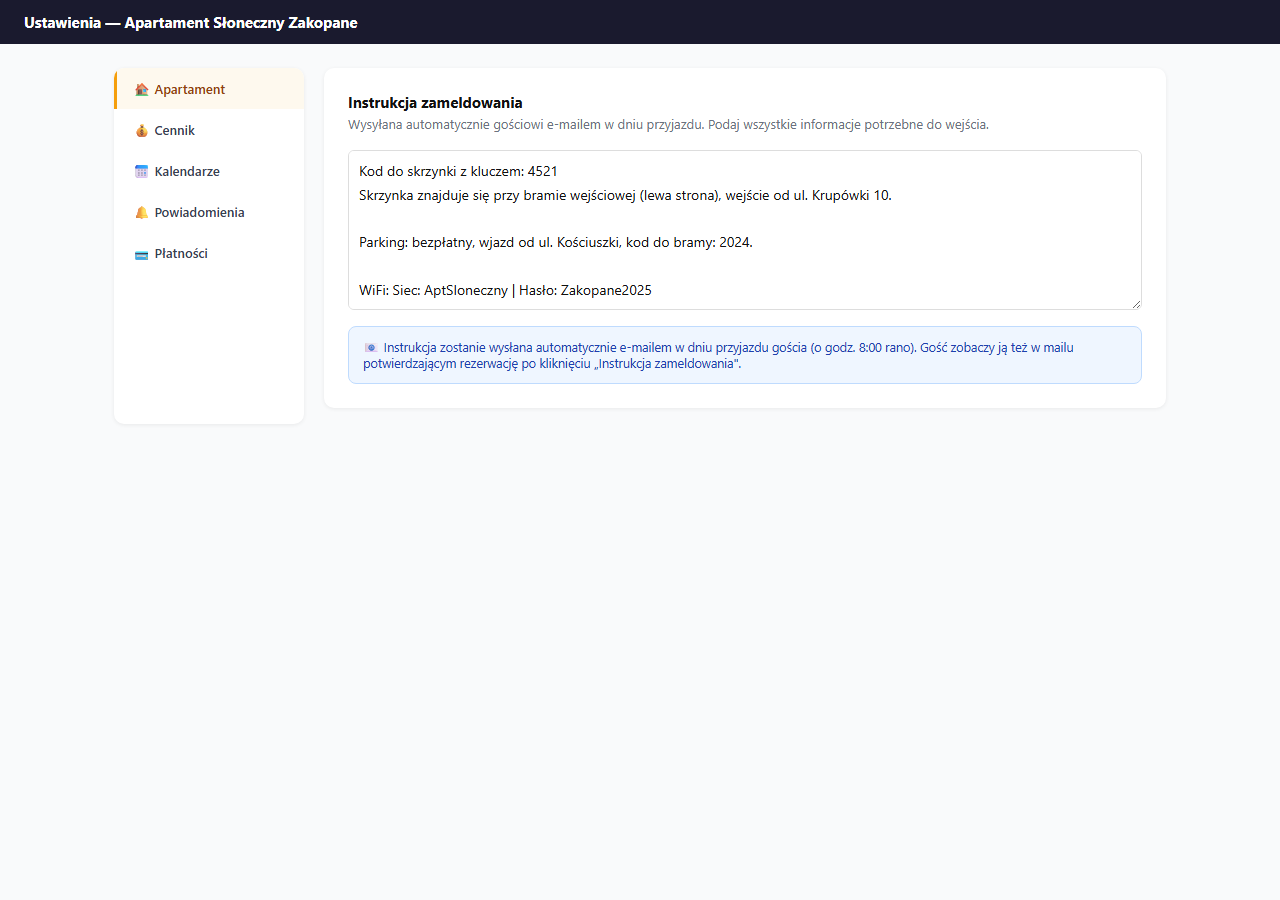
Settings → Apartment → the "Check-in instructions" card.
When the message is sent
- Automatically around 9:00 in the morning on the guest's check-in day.
- Only for bookings with the status Confirmed.
- To the email address the guest provided when booking.
The guest can also click the "Check-in instructions" link in the booking confirmation email and see the content earlier — it's available right after the booking is confirmed.
What to write
Enter everything the guest needs to get into the apartment without calling you:
Key box code: 4521
The box is by the entrance gate (left side), entrance from Krupówki 10.

Parking: free, entry from Kościuszki Street, barrier code: 2024.

Wi-Fi network: AptSloneczny
Password: Zakopane2025

In the apartment you'll find a welcome folder with appliance instructions.

In case of problems — call: +48 600 123 456 (available 8:00–22:00).
What a good instruction should contain
- Code/keys — the exact location of the key box or key-pickup instructions, the access code.
- How to get there — address, entrance, building number, floor — especially important if the address shown on the map doesn't lead exactly to the entrance.
- Parking — whether there is any, how to enter, the gate/barrier code.
- Wi-Fi — the network name and password.
- Contact — your phone number in case of problems.
Optionally:
- Garbage collection times (if the guest stays several days).
- Equipment instructions — how to turn on the boiler, where the heating is.
- Waste-sorting rules.
Text formatting
The text field doesn't support formatting — enter plain text. Empty lines create paragraphs in the email. Use short, unambiguous sentences.
Write the instructions as if explaining to someone for the first time — without shortcuts that are obvious to you but not to a guest arriving at night for the first time.
Saving
Click "💾 Save apartment settings" — the check-in instructions are saved together with the other settings in the Apartment section.
The instruction content also goes into the automatic email sent to guests on arrival day.
Instructions not available to guests without a booking
The check-in instructions are visible only to guests with a confirmed booking — in their private confirmation link. They are not publicly available on the booking page.
Related articles: Guest FAQ · Which emails the guest receives · How the booking process works · How guest reviews work