CSV export lets you download the booking list in spreadsheet format — ready to open in Excel, LibreOffice Calc or to import into accounting software.
How to export
In the booking list, click the "⬇ Export CSV" button in the top-right corner above the table.
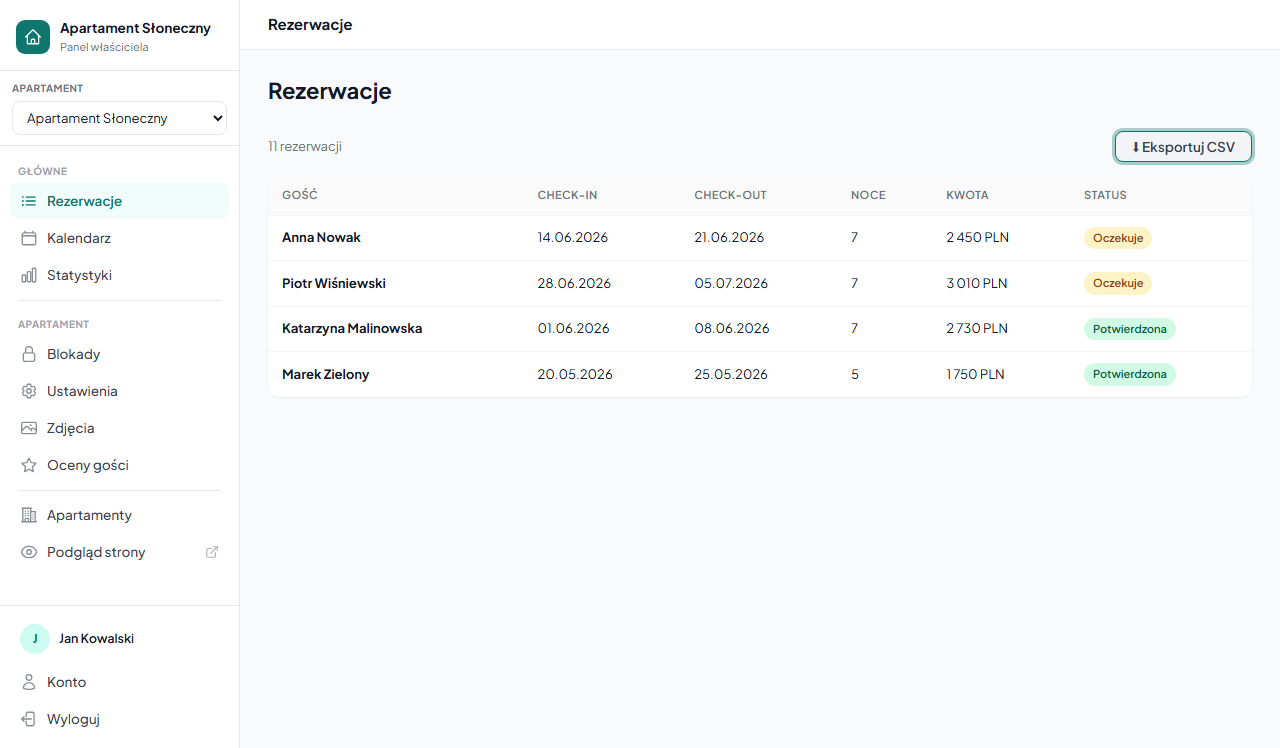
The file downloads automatically with a name in the format:
rezerwacje-main-2026-06-01.csvWhere main is the apartment slug and 2026-06-01 is the export date.
Filtered export
If you have active filters (status, dates, search), the button changes to "⬇ Export CSV (filtered)" — the file contains only bookings matching the current filters.
Example: set Status = Confirmed + Check-in from 01.07 to 31.07 → the export contains only confirmed July bookings.
CSV file contents
| Column | Description |
|---|---|
| ID | The booking number in the system |
| Guest | Full name |
| The guest's email address | |
| Phone | Phone number (if provided) |
| Check-in | Arrival date (YYYY-MM-DD) |
| Check-out | Departure date (YYYY-MM-DD) |
| Guests | Number of people |
| Amount PLN | Total booking amount |
| Promo | Promo code used (if any) |
| Status | pending / confirmed / cancelled |
| Notes | The owner's private note |
| Submitted | Date and time the booking was submitted |
| Message | The guest's message from the form |
If you export the "All apartments" view, an Apartment column is added.
Opening in Excel
The file is UTF-8 encoded with a ; (semicolon) separator. To open it correctly in Excel:
- Open Excel → Data → From Text/CSV.
- Select the downloaded file.
- In the import wizard set the separator: Semicolon, encoding: UTF-8.
- Click Load.
Alternatively: change the file extension from .csv to .txt and open via Data → From Text — the wizard launches automatically.
Uses
- Monthly settlements — export with a filter for a given month, sum the Amount PLN column.
- Reports for the accounting office — a full export with dates and amounts.
- Occupancy analysis — open in a spreadsheet, add a nights column and build a chart.
- Data backup — a regular export of the whole booking history.
Related articles: Filtering and searching bookings · How the booking process works · Statistics — revenue and occupancy