Profile details are the information about your company stored in erphome.pl — used on invoices and shown in the panel. You can update them at any time.
Where to change it
Sign in to the panel and click My account in the left menu. The Profile details section is active by default.
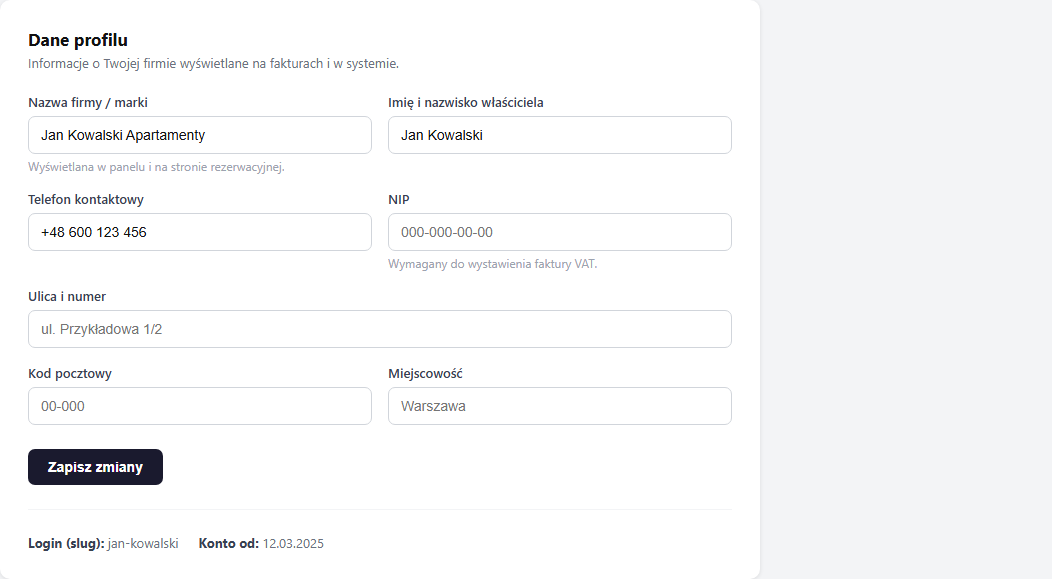
Form fields
| Field | Required | Description |
|---|---|---|
| Company / brand name | Yes | Shown in the panel and on the booking page |
| Owner's full name | Yes | Contact details |
| Contact phone | No | Optional, useful for account recovery |
| Tax ID (NIP) | No | Required to issue a VAT invoice |
| Street and number | No | Address for invoices |
| Postal code and city | No | Address for invoices |
Fields locked after GUS verification
If you provided a tax ID (NIP) during registration and the data was pulled automatically from the GUS business register, the company fields (NIP, address, postal code, city) will be locked — grey background, cursor unavailable.
Data verified through GUS can only be changed via support. Write to [email protected] with your tax ID and the new company details.
Saving changes
After filling in the fields, click "Save changes". A green message "Your details have been updated." appears.
How to check your slug (login URL)
At the bottom of the section there are two read-only items:
- Login (slug) — the unique account identifier, used in the
slug.erphome.pladdress. Changing it requires contacting support. - Member since — the registration date.
Related articles: Changing your password and email · Panel users — team access · Signing in and registering with Google · Payment history and invoices