The amenities list is a quick way for a guest to check at a glance whether the apartment meets their needs. It appears on the booking page as a set of icons with labels.
Where to set amenities
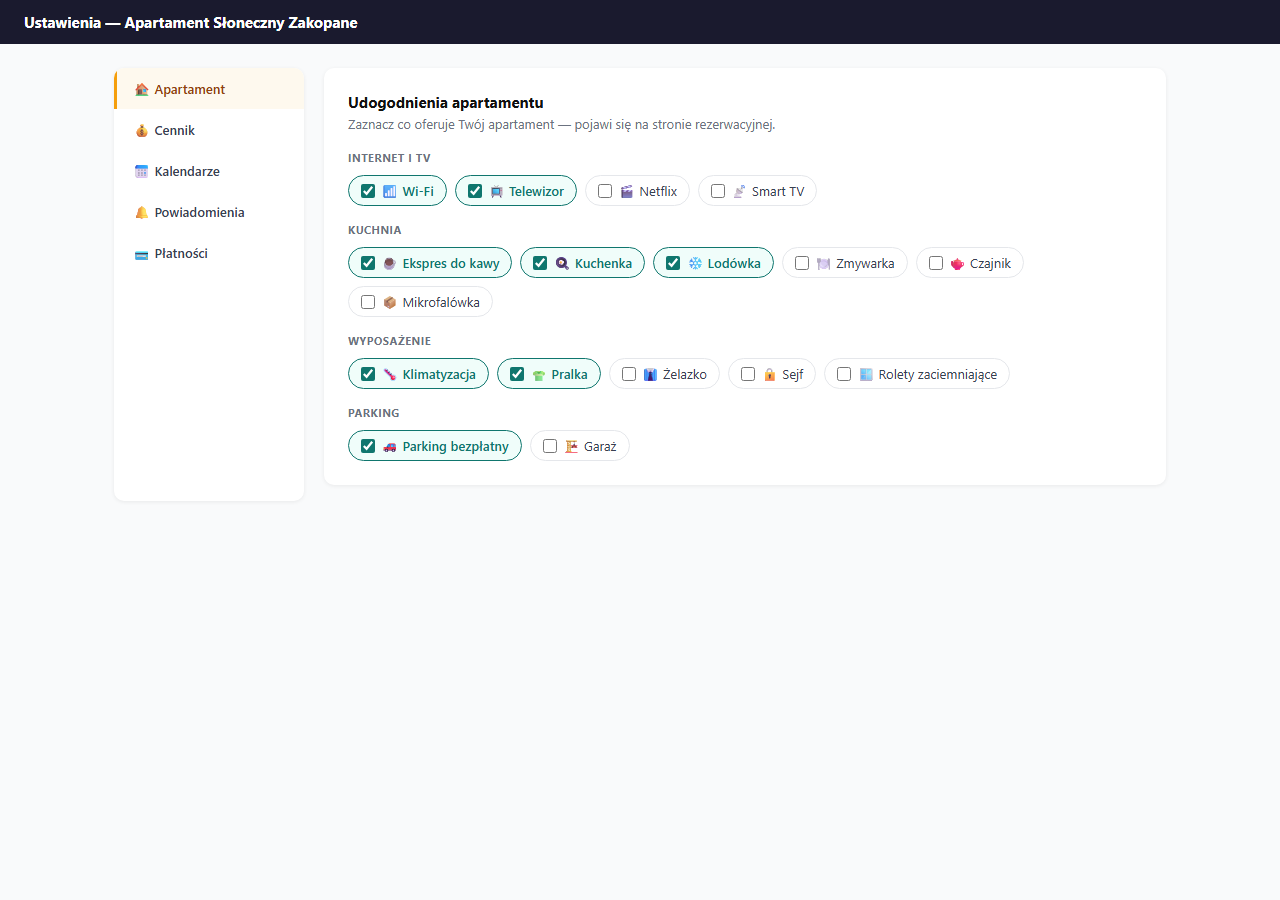
Settings → Apartment → the "Apartment amenities" card.
How it works
Amenities are split into 11 categories: Internet and TV, Kitchen, Bathroom, Equipment, Parking, Outdoors, Sport and relaxation, For children, Pets, Safety and Accessibility. Click any tile to select it — selected ones stand out in color. You can select any number of items.
Selected amenities appear on the guest page as a list of icons below the apartment description.
Available categories
Internet and TV
Wi-Fi, Wi-Fi 5 GHz, Ethernet (cable), TV, Netflix, Smart TV, Game console.
Kitchen
Coffee machine, Nespresso / capsule, Stove / hob, Oven, Refrigerator, Dishwasher, Electric kettle, Toaster, Microwave, Dishes and cutlery, Freezer.
Bathroom
Shower, Bathtub, Whirlpool bath, Hair dryer, Toiletries / gels, Towel warmer.
Equipment
Air conditioning, Heating, Fan, Washing machine, Clothes dryer, Iron and board, Safe, Vacuum cleaner, Blackout blinds, Bedding and pillows.
Parking
Free parking, Paid parking, Garage, EV charger.
Outdoors
Garden, Terrace, Balcony, Grill / BBQ, Pool, Jacuzzi, Garden furniture.
Sport and relaxation
Gym, Sauna, Bikes, Yoga mat.
For children
Cot / crib, High chair, Toys.
Pets
Pet-friendly, Dog bed.
Safety
Smoke detector, Fire extinguisher, First-aid kit, Keypad lock.
Accessibility
Elevator, Wheelchair accessible, Step-free entrance.
Tips
- Select only what you actually have — guests quickly leave bad reviews when something from the list doesn't work.
- If parking is on the street (public), mark Free parking only if you're sure there's always a spot.
- Wi-Fi is a must — if you have it, select it. Guests assume Wi-Fi is standard and treat its absence as a minus.
Amenities in other languages
You don't have to translate amenities by hand. Guests with an English browser see them automatically translated into English (a built-in dictionary of 90+ items); items outside the dictionary keep their original wording. In other languages amenities are shown in Polish — if you want a complete foreign-language set, enter the name directly in the target language. The title, description and house rules are translated separately in the 🌐 Language versions sub-tab. Details: Language versions of the booking page.
Saving
Amenities are saved together with the other settings after clicking "💾 Save apartment settings" at the bottom of the Apartment section.
Related articles: Basic information (title, description, address) · House rules and terms · Language versions of the page · Guest FAQ · Personalization