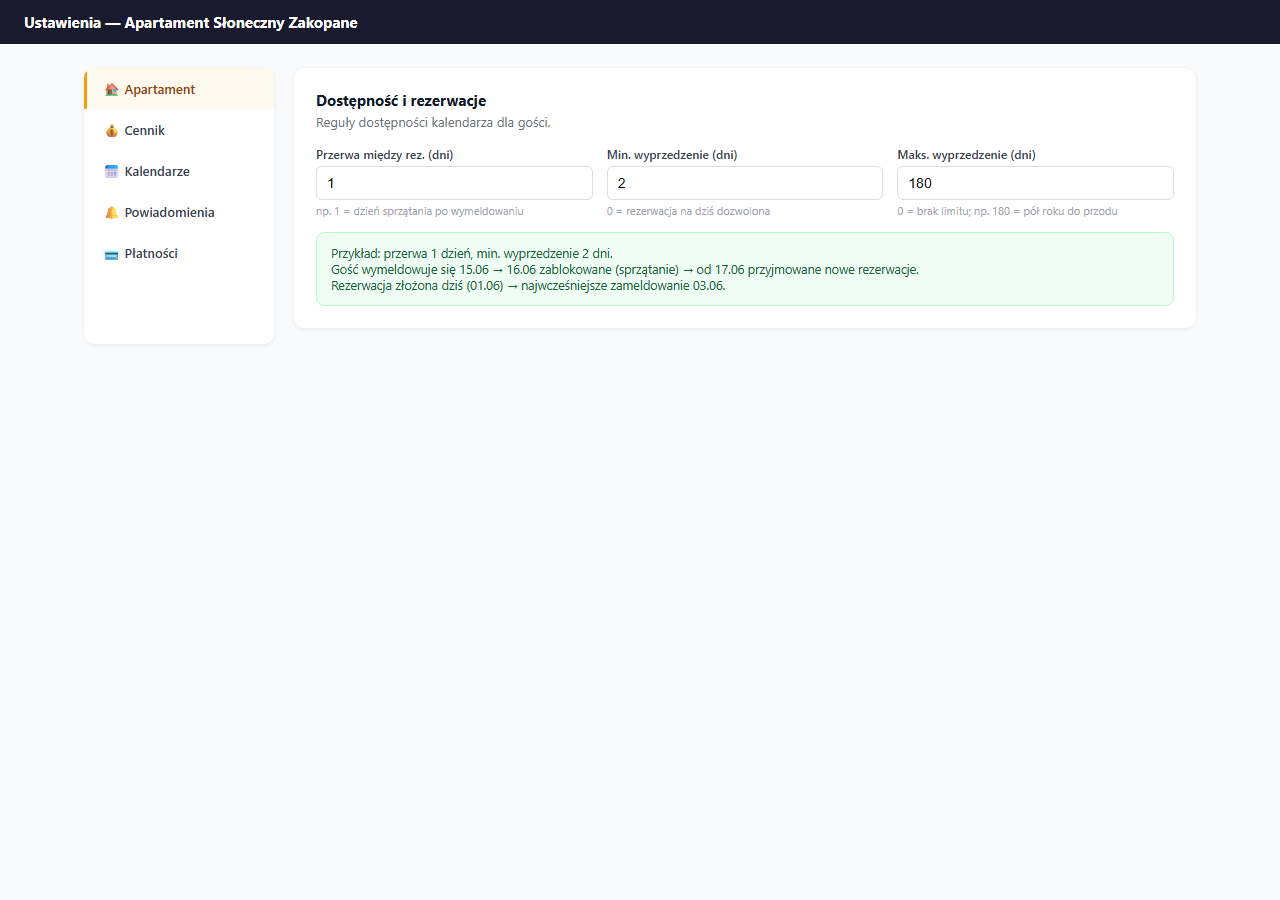
The gap between bookings (buffer days) is a range of days automatically blocked after each booking. A guest can't book dates immediately after the previous check-out: the system blocks those days itself, without any action from you.
Where to set it
Settings → Apartment → the "General information" section → the "Gap between bookings (days)" field.
How it works
Enter the number of gap days. After each check-out the system automatically blocks that many following days before allowing a new booking.
Example with a 1-day gap:
| Situation | Date |
|---|---|
| Guest A checks out | June 15 (Wednesday) |
| Blocked buffer | June 16 (Thursday) |
| Earliest check-in for guest B | June 17 (Friday) |
Example with a 2-day gap:
| Situation | Date |
|---|---|
| Guest A checks out | June 15 (Wednesday) |
| Blocked buffers | June 16 and 17 (Thu, Fri) |
| Earliest check-in for guest B | June 18 (Saturday) |
How many days to set
| Situation | Recommended gap |
|---|---|
| You clean yourself and are available right after check-out | 0 days |
| Cleaning takes a few hours, one day is enough | 1 day |
| You hire a cleaning company, 2 days needed | 2 days |
| You want some buffer for yourself | 1–2 days |
The default value is 0: no gap, a new guest can check in on the previous guest's check-out day (same day, different hours: check-out 11:00, check-in 16:00).
Buffer and iCal
Buffer days apply only to direct bookings through erphome.pl. If you have iCal from Booking.com connected: OTA bookings don't generate an automatic gap. In that case, block the days manually or set a buffer in the Booking.com panel too.
Saving
Click "💾 Save apartment settings": the gap between bookings is saved together with the rest of the Apartment section settings.
Frequently asked questions
Does the buffer apply to Booking.com bookings too?
No. The gap applies only to direct bookings through erphome.pl. Bookings from OTAs via iCal don't generate an automatic buffer: in that case block the days manually or set a buffer in the Booking.com panel too.
How many gap days should I set?
Set 0 if you clean yourself and are available right after check-out. 1 day is enough when cleaning takes a few hours. 2 days work well when you hire a cleaning company or want some buffer for yourself.
With a gap of 0, can a new guest check in on the previous guest's check-out day?
Yes. The default value 0 means no buffer: a new guest can check in on the same day the previous one checked out (different hours: check-out 11:00, check-in 16:00).
Related articles: Manually blocking dates · Minimum stay · Minimum and maximum booking lead time · Allowed check-in days · How the calendar works