Picture a guest who has just found your apartment on Booking.com. They like it, but before clicking "Book" they do what most people do: they type the name into Google to see whether it is cheaper with you. They land on your site.
And what do they find there? Nice photos, a description of the neighbourhood, a phone number and a contact form titled "Ask about availability".
A moment earlier, on the portal, they saw a calendar with free dates, the price for their nights and a single button. With you they have to write a message and wait. So they go back to the portal, click "Book", and you pay commission on that booking. For a guest who was already on your own site.
A contact form is not a booking
The difference looks harmless and it is a chasm. Booking through a portal is one decision made in three seconds. An email enquiry is a decision spread over two days: write, wait for a reply, read it, reply again, agree on payment. There are several points along the way where the guest can change their mind or simply forget.
If you want people to book with you directly, you have to give them the same experience the portal gives them. Not a similar one. The same one: visible free dates, the price for the chosen nights and a button that starts the booking.
The plugin that moves the calendar onto your site
Our plugin erphome.pl — Widget Rezerwacji Apartamentu has been in the WordPress directory for a few days now. It does exactly one thing: it puts on your site the same calendar and booking button your guest sees on your erphome.pl reservation page.
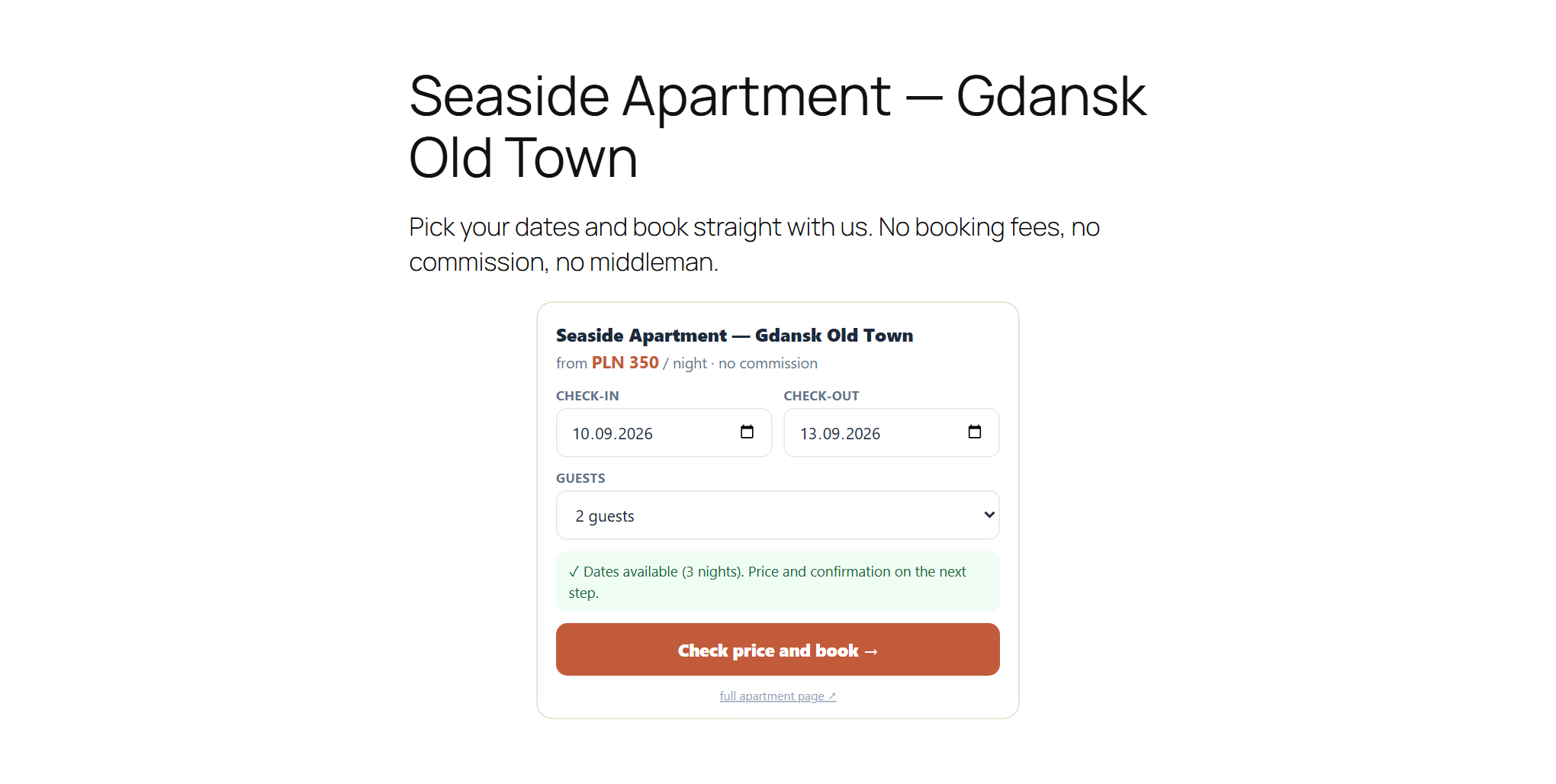
The same free dates, the same price, the same booking. With no commission, because the booking comes straight to you.
One caveat, so there is no misunderstanding: the plugin is not a booking system. It is a bridge. The apartment, prices, calendar, guest messages and portal sync all live in your erphome.pl account. WordPress only displays them. Without an account the plugin shows an empty settings page and nothing else.
Setup: you paste one link
Configuration comes down to pasting a single address. In the erphome.pl panel go to Settings → Calendars, copy the widget preview link and paste it into the plugin settings. The rest fills itself in: the account name, the apartment list, the language.
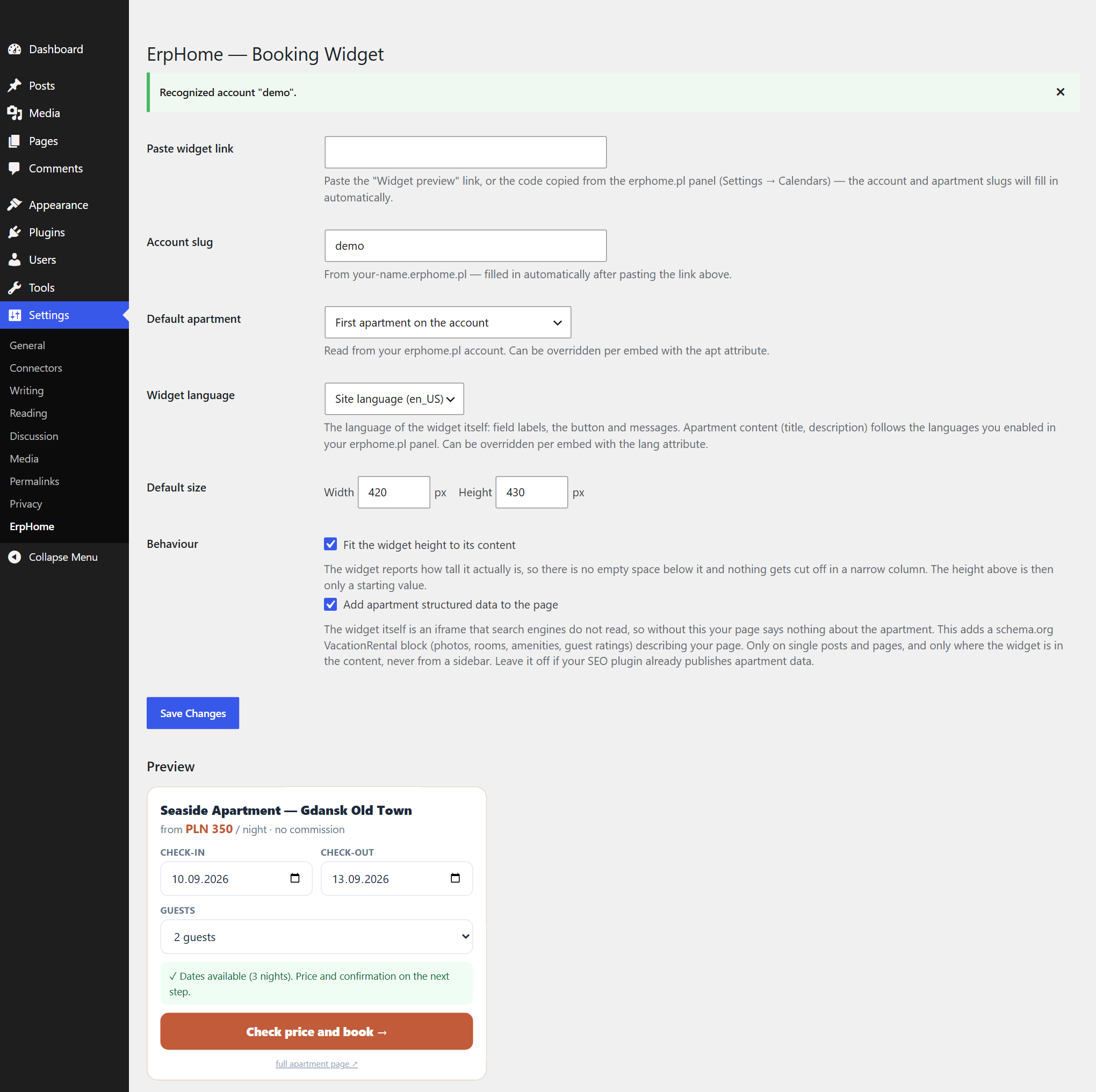
If you have several apartments on the account, you get a dropdown instead of typing names from memory. Each embed can show a different apartment, so an "Our apartments" page can carry three widgets, one per property.
Four ways to place it, pick yours
Not everyone builds a site the same way, so the plugin offers four routes to the same result:
- Shortcode
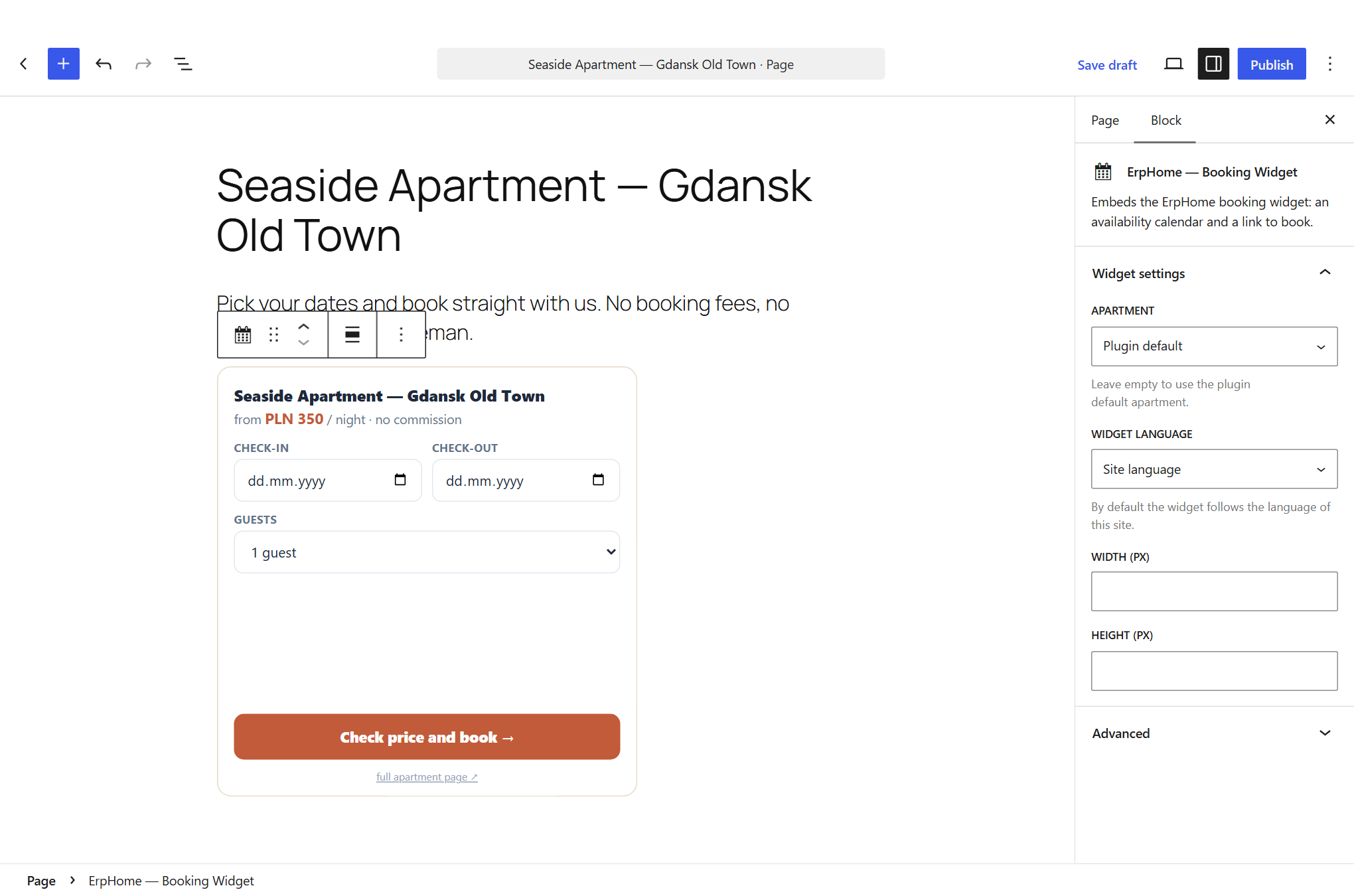
[erphome_widget]: works anywhere shortcodes do, meaning posts, pages, text widgets and page builders. - Gutenberg block "ErpHome — Booking Widget": with a live preview in the editor and controls in the sidebar.
- Elementor element: you drag it onto the page like any other element, with the same controls. This one is new in 1.3.0; before it you had to know the shortcode existed and type it into a "Shortcode" element by hand.
- Classic sidebar widget: for themes built around the Widgets screen.
Three things that are easy to miss
The widget speaks the language of your site. By default it follows the WordPress language, but you can override it per embed with the lang attribute. On a bilingual site the Polish page gets a Polish widget and the English one an English widget. Apartment content (title, description) follows the languages you enabled in the erphome.pl panel, so these are two independent layers.
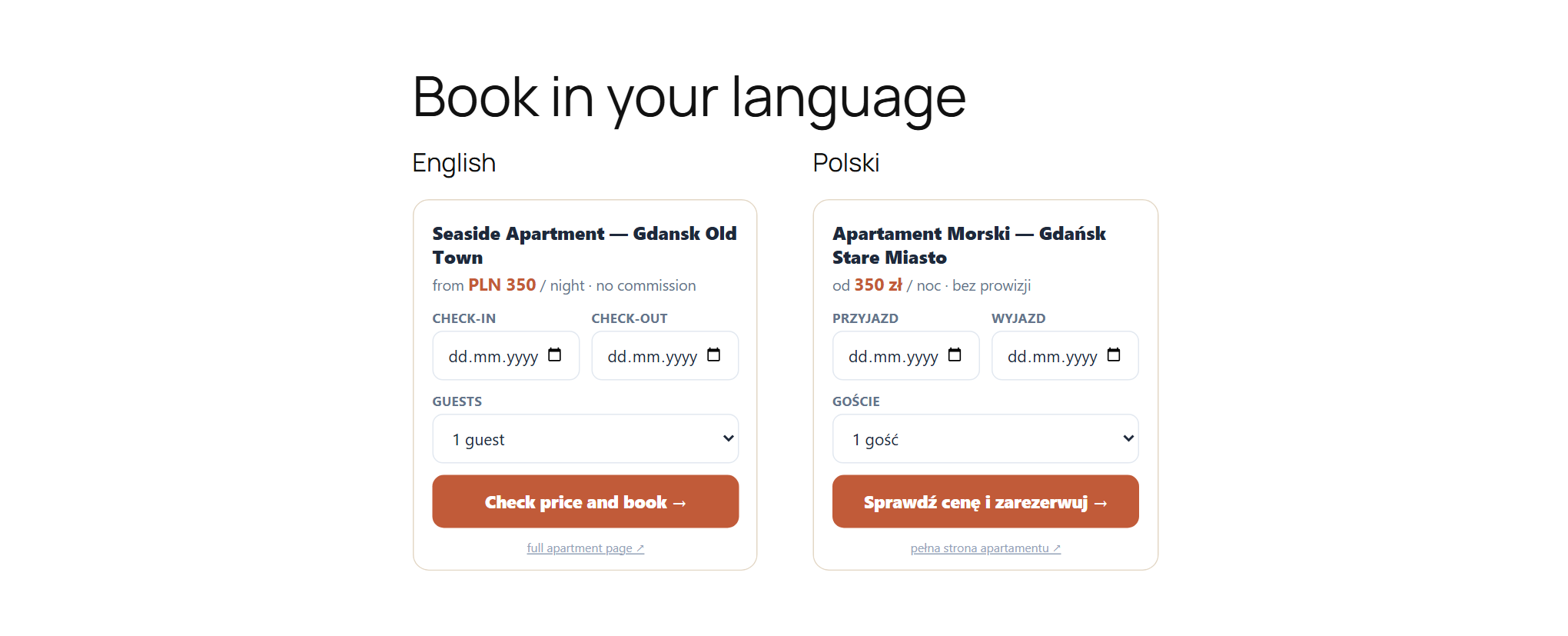
The height fits the content. The widget reports how tall it actually is, so no empty band is left below it and nothing gets cut off in a narrow column. It sounds like a detail until you drop it into a 300 pixel column.
Structured data for Google. The widget itself is an iframe, and search engines do not read those. Without an extra option your page with the widget tells Google nothing about the apartment. The plugin can add a schema.org VacationRental block built from your listing: photos, rooms, amenities, guest ratings. The option is off by default, and rightly so: if your SEO plugin already publishes apartment data, two descriptions of the same property will hurt more than help.
Does this make sense for you specifically?
It does if all three are true at once: you already have a WordPress site, you take bookings through portals, and you pay commission on them. The widget then wins back exactly the group where commission stings most: returning guests, referrals, and the people who googled you after seeing your listing on a portal. Those guests have already decided. Paying fifteen percent for them is pure loss.
It does not make sense if you have no site at all yet. In that case it is simpler to take a ready-made reservation page from erphome.pl than to build a WordPress site purely to embed something on it.
You are not abandoning the portals, of course. They bring reach among people who do not know you, and they are good at that. The point is to stop paying them for guests you brought in yourself.
How to start
Install the plugin from inside WordPress: Plugins → Add New, search for "erphome", install and activate. Then paste the link from your panel and you are done. The whole thing takes about fifteen minutes, including hunting for the link.
If you do not have an erphome.pl account yet, sign up and try it free for 14 days, no card. You will sync the calendar with Booking.com and Airbnb over iCal, so the dates on your site and on the portals stay in step and the widget on WordPress shows what is genuinely free.
Try erphome.pl
Start taking bookings directly
Your own reservation page from PLN 27.99 net a month on the annual plan. Zero commission.
14 days free, no credit card
Comments (0)
No comments yet. Be the first.
Add a comment
Your email is never published. Comments appear after review by our editors.