iCal (the .ics format) is an open calendar-exchange standard supported by Booking.com, Airbnb, Vrbo, Google Calendar and dozens of other platforms. Thanks to it, erphome.pl and OTAs can inform each other about occupied dates — without any APIs or integrations.
How it works
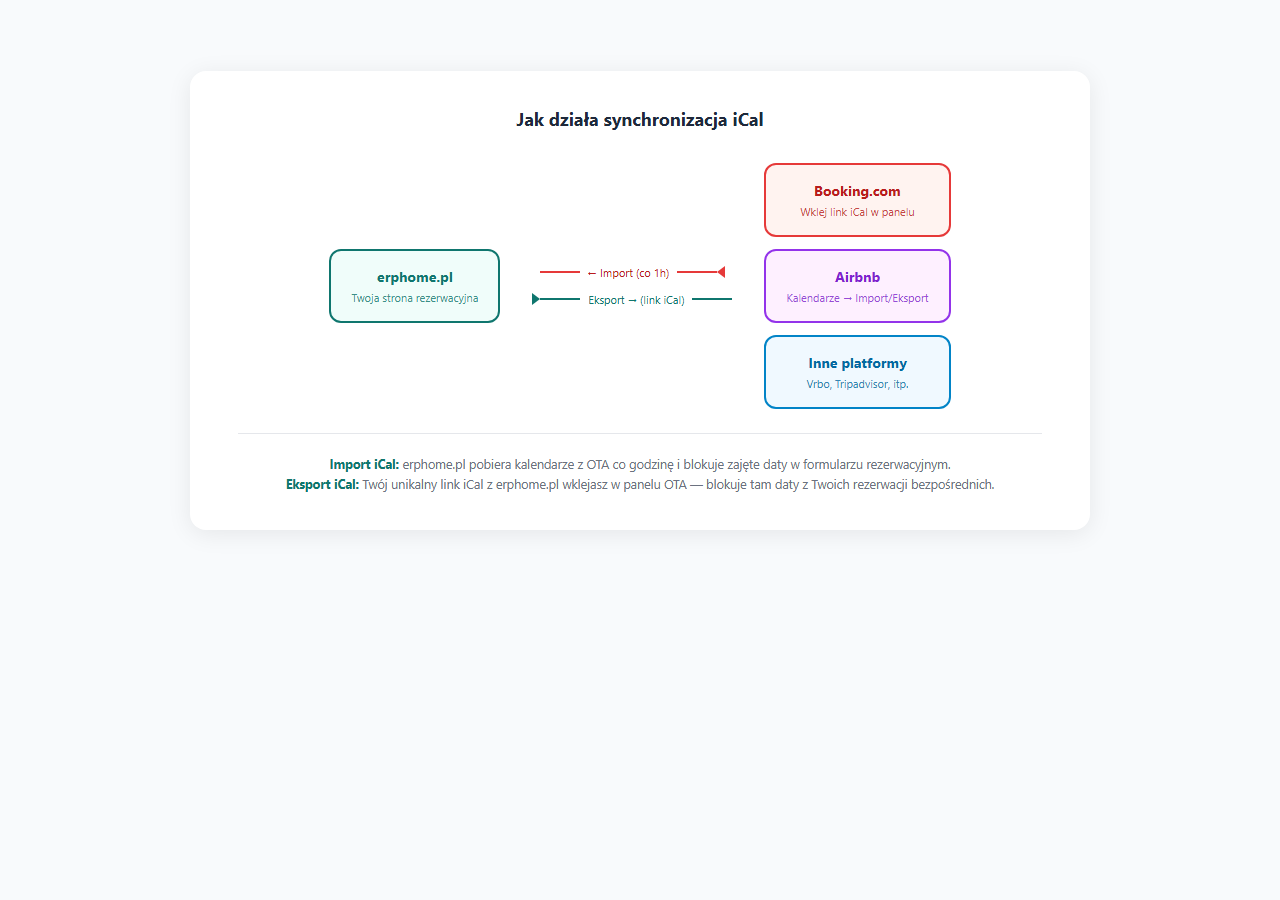
Synchronization works in two directions:
Import (OTA → erphome.pl)
You give erphome.pl an iCal link from your Booking.com or Airbnb account. Every hour, erphome.pl fetches that file and blocks all occupied dates in the booking form. A guest trying to book an occupied date will see it as unavailable.
Export (erphome.pl → OTA)
erphome.pl generates a unique iCal link for you with all your direct bookings. You paste this link into the Booking.com or Airbnb panel as an "external calendar". The OTA fetches this file periodically (usually every 1–6 hours) and blocks the dates on its side.
Why configure it
Without iCal synchronization:
- A guest books the apartment directly through your page for a date that is already occupied on Booking.com.
- Or the other way around — a guest books a date on Booking.com that someone just booked through erphome.pl.
- The result: a double booking — one of the guests has to cancel, which comes with a reputational cost and possible penalty fees.
With iCal synchronization — both calendars see the same occupied dates and double bookings don't happen.
Sync delay
iCal does not work in real time. Standard delays:
| Direction | Frequency |
|---|---|
| OTA → erphome.pl (import) | Every 1 hour (cron) |
| erphome.pl → Booking.com (export fetched by Booking) | Every 1–6 hours (depends on Booking.com) |
| erphome.pl → Airbnb (export fetched by Airbnb) | Every 1–6 hours (depends on Airbnb) |
Within this delay window (up to a few hours) there is a theoretical chance of a double booking. You minimize the risk by running a manual sync after each direct booking.
What is synchronized
Only occupied dates (date blocks) are synchronized via iCal. The following are not transmitted: guest names, amounts, contact details or any other booking specifics.
Next steps
- Connecting a calendar from Booking.com
- Connecting a calendar from Airbnb
- Exporting your own iCal calendar
- Sync frequency and manual sync
Related articles: iCal from Booking.com · iCal from Airbnb · iCal export · Sync frequency · Manually blocking dates · Google Calendar — direct integration (with guest details) · How the availability calendar works