Your export iCal link is a unique URL that returns a file with the occupied dates from your direct bookings (and manual blocks). You can paste it into any OTA platform or app that supports iCal.
Where to find the export link
Settings → Calendars → the "📤 Export — your iCal link" section.
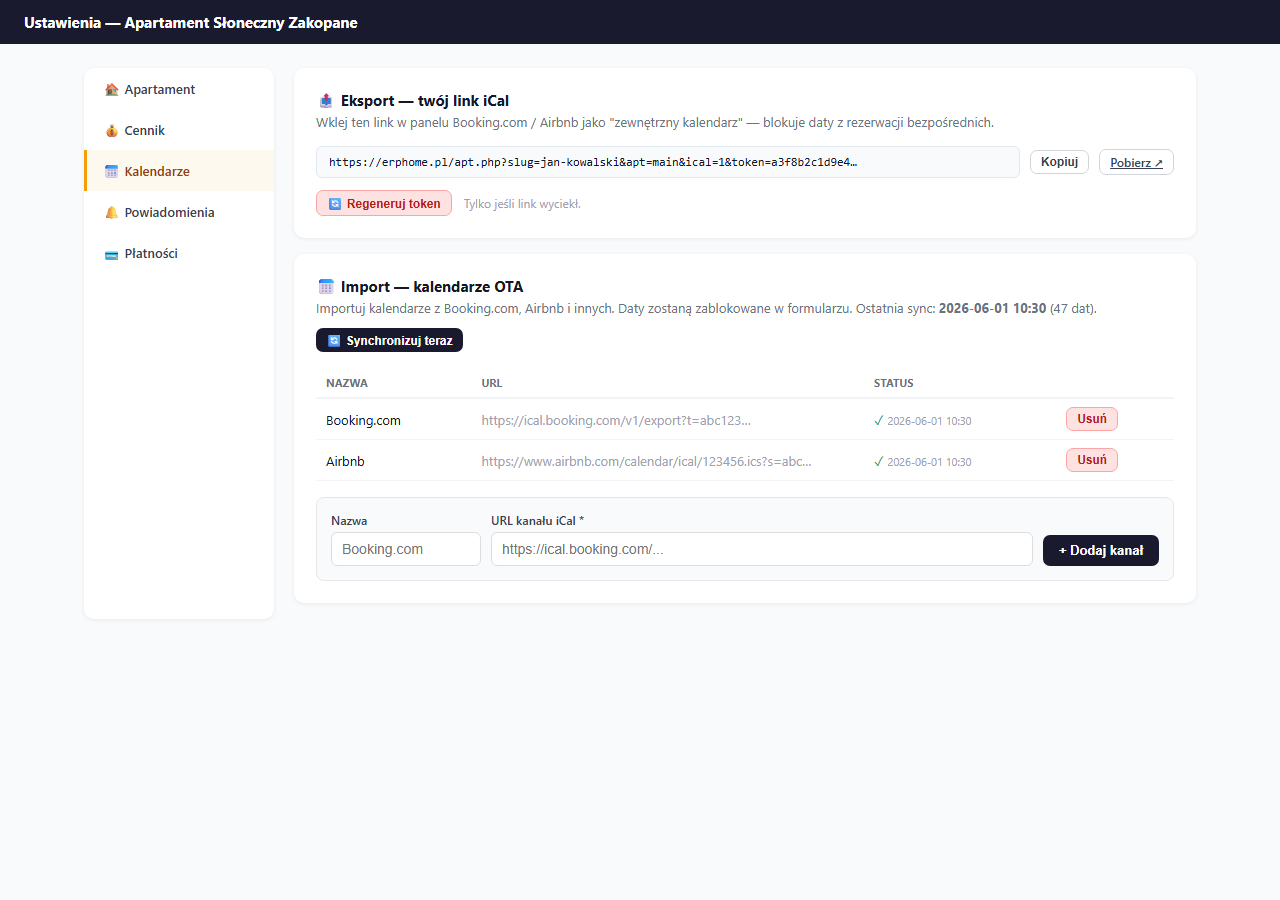
Click "Copy" — the link is copied to the clipboard. You can also click "Download ↗" to download the .ics file directly to check it.
Link format
https://erphome.pl/apt.php?slug=YOUR-SLUG&apt=APARTMENT-SLUG&ical=1&token=TOKENThe link contains a unique token — without it the file is inaccessible. This means no one can download the list of occupied dates without your consent.
Where to paste the link
Booking.com
Calendar → Sync with external calendars → Import from an external calendar → Add URL
Airbnb
Your listings → [listing] → Calendar → Import calendar → Add iCal link
Vrbo / HomeAway
Calendars → Import Calendar → Add iCal URL
Tripadvisor / Flipkey
Property Management → Calendar → Sync with other sites → Import from iCal
Google Calendar
Other calendars → + → From URL → paste the link
This lets you track the apartment's occupancy in Google Calendar on your phone. Only date blocks will be visible — without guest details.
If you want to see full booking details in Google Calendar (guest name, phone, amount), use the direct Google Calendar integration — it connects erphome.pl to your Google account via OAuth and creates rich events automatically.
One link for many platforms
You can paste the same export link into all OTAs at once — each platform will independently fetch the file and block the dates. You don't need to create separate links for each platform.
Regenerating the token
If you suspect the link has leaked (e.g. you sent it to someone and want to revoke access), click "🔄 Regenerate token" and confirm.
Note: regenerating the token immediately deactivates the old link. All OTA platforms that had the old link will stop syncing data. You must update the link everywhere it was pasted.
What's visible in the exported file
The iCal file contains only occupied dates as block events. It does not contain:
- guest names or details
- booking amounts
- messages from guests
- any personal data
The format is fully compliant with RFC 5545 (the iCalendar standard).
Related articles: How iCal synchronization works · Connecting Booking.com · Connecting Airbnb · Manually blocking dates · Google Calendar — direct integration · How the availability calendar works