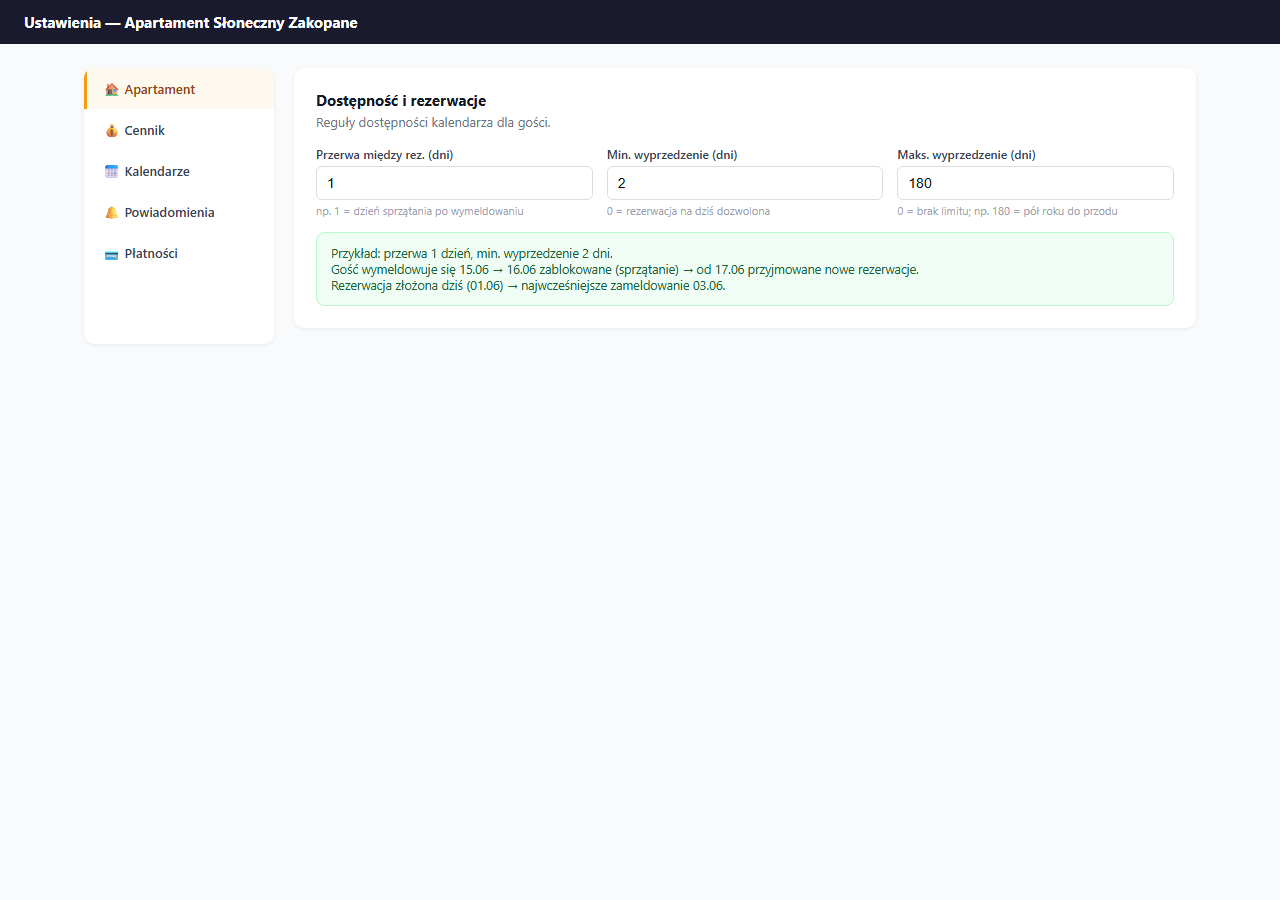
The gap between bookings (buffer days) is a range of days automatically blocked after each booking. A guest can't book dates immediately after the previous check-out — the system blocks those days itself, without any action from you.
Where to set it
Settings → Apartment → the "General information" section → the "Gap between bookings (days)" field.
How it works
Enter the number of gap days. After each check-out the system automatically blocks that many following days before allowing a new booking.
Example with a 1-day gap:
| Situation | Date |
|---|---|
| Guest A checks out | June 15 (Wednesday) |
| Blocked buffer | June 16 (Thursday) |
| Earliest check-in for guest B | June 17 (Friday) |
Example with a 2-day gap:
| Situation | Date |
|---|---|
| Guest A checks out | June 15 (Wednesday) |
| Blocked buffers | June 16 and 17 (Thu, Fri) |
| Earliest check-in for guest B | June 18 (Saturday) |
How many days to set
| Situation | Recommended gap |
|---|---|
| You clean yourself and are available right after check-out | 0 days |
| Cleaning takes a few hours — one day is enough | 1 day |
| You hire a cleaning company, 2 days needed | 2 days |
| You want some buffer for yourself | 1–2 days |
The default value is 0 — no gap, a new guest can check in on the previous guest's check-out day (same day, different hours: check-out 11:00, check-in 16:00).
Buffer and iCal
Buffer days apply only to direct bookings through erphome.pl. If you have iCal from Booking.com connected — OTA bookings don't generate an automatic gap. In that case, block the days manually or set a buffer in the Booking.com panel too.
Saving
Click "💾 Save apartment settings" — the gap between bookings is saved together with the rest of the Apartment section settings.
Related articles: Manually blocking dates · Minimum stay · Minimum and maximum booking lead time · How the calendar works