A single erphome.pl account can run multiple apartments — each with its own booking page, calendar, pricing and settings. Adding another property takes 2 minutes.
When to add another apartment?
- You have two or more independent properties to rent.
- One property has several independent units (e.g. two studios in the same building) that you want to book separately.
- You want separate iCal calendars and separate pages for different locations.
Cost of an additional apartment
The base subscription plan covers 2 apartments. Each additional one costs +15 PLN net/month. During the trial period you can test multiple apartments at no extra charge. Pricing details: Additional apartments — extending your plan.
If your plan does not cover enough apartments, when you try to add one you will see a "Buy add-on" button leading to payment for the extension.
How to add a new apartment
Step 1 — Go to the Apartments section
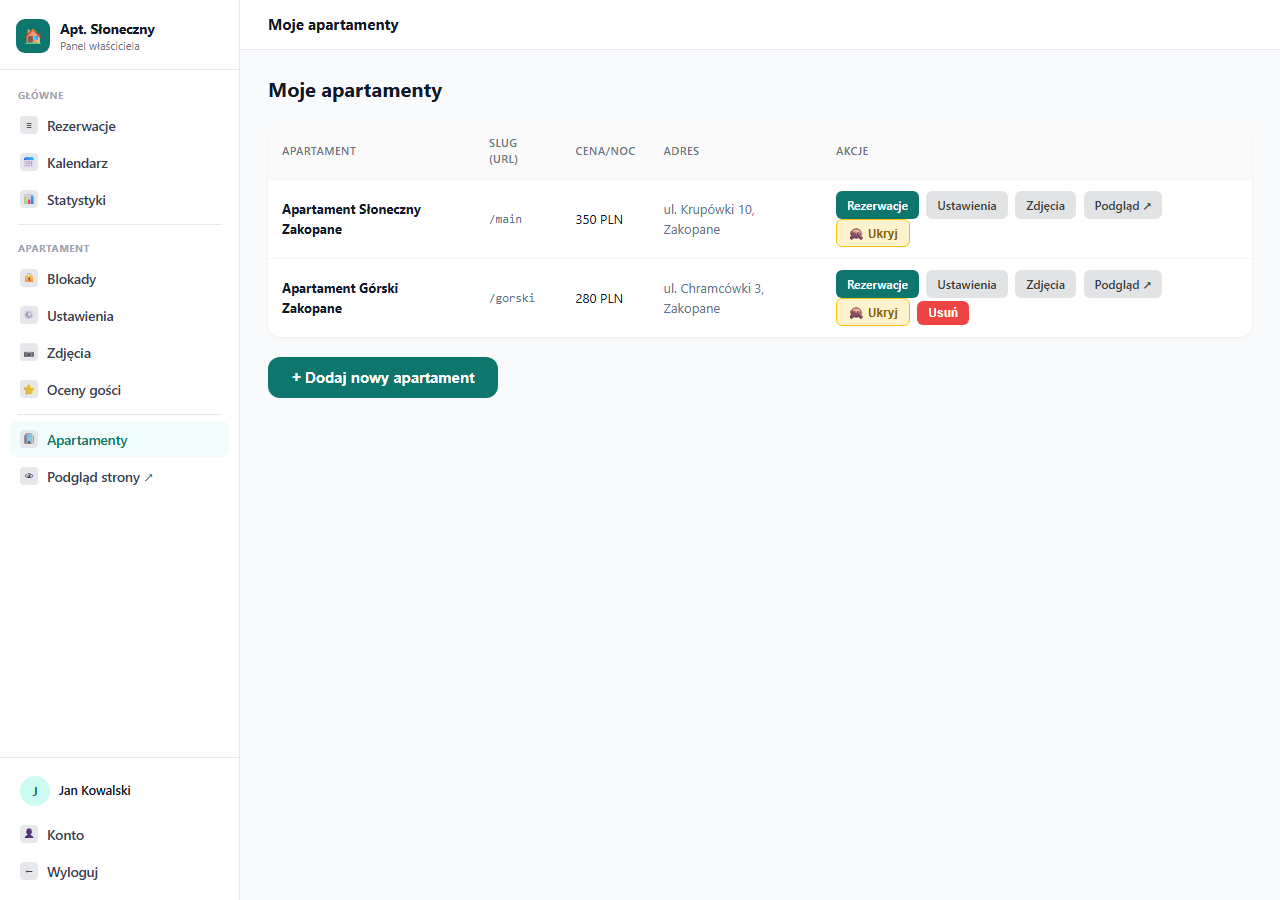
In the panel, click Apartments in the left menu. You will see a list of all your properties.
Step 2 — Click "Add new apartment"
At the bottom of the page click the green "+ Add new apartment" button. You will be taken to the configuration form.
Step 3 — Fill in the details
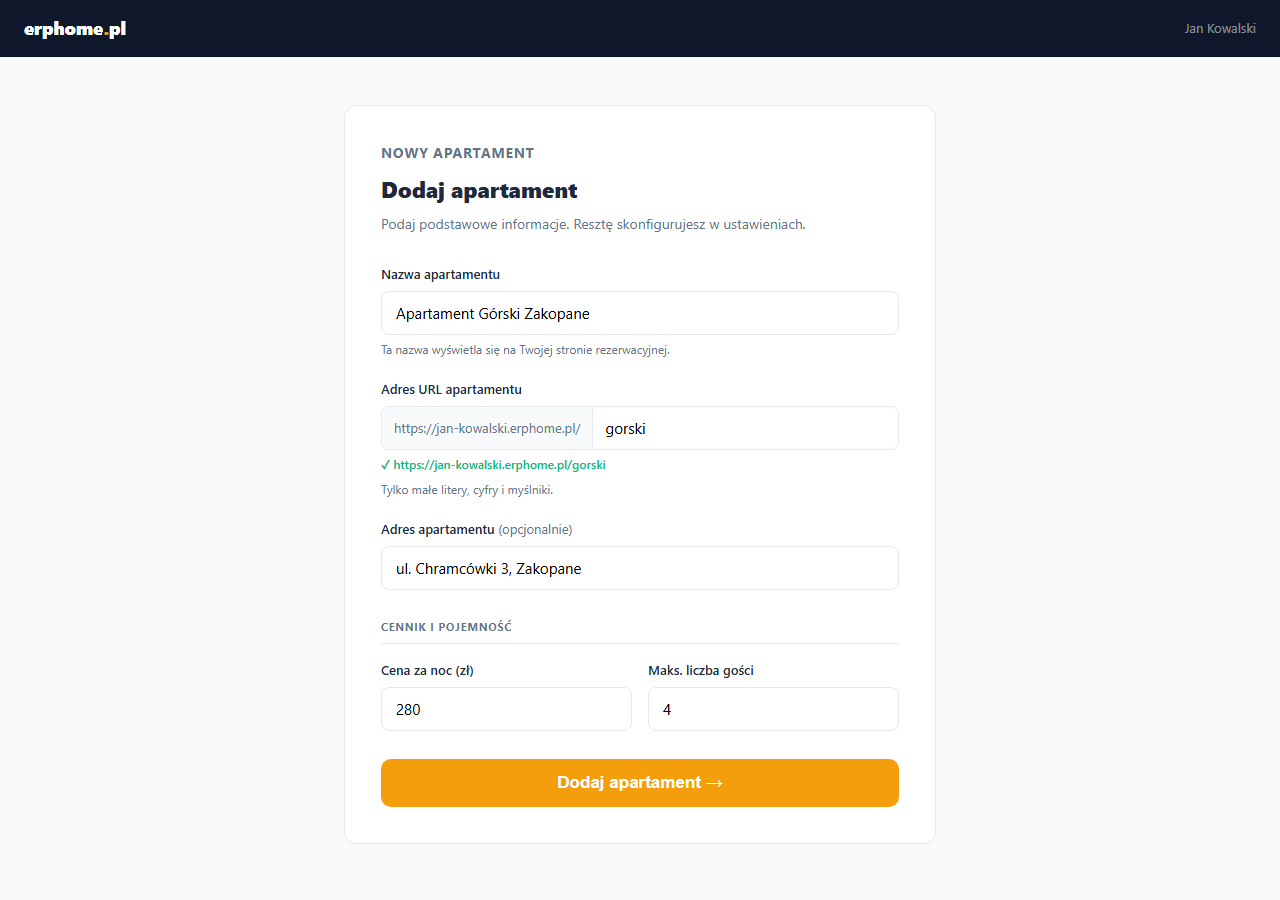
- Apartment name — shown on the booking page and in the catalog listing.
- Apartment URL — a unique identifier within your subdomain. If your account is
jan.erphome.pl, the second apartment can have the addressjan.erphome.pl/gorski. The identifier can be changed later in settings. - Apartment address — optional, shown on the guest page.
- Price per night and max. number of guests — starting values that you adjust in the pricing settings.
Click "Add apartment →". You will be redirected to the new apartment's settings, where you can complete the description, add photos and configure pricing.
How do guests see multiple apartments?
When you have one active apartment, your subdomain (your-name.erphome.pl) leads directly to that property's page.
When you have several active apartments, the subdomain shows a catalog page — a list of all properties with thumbnails and prices. The guest clicks a chosen property and lands on its booking page. Each apartment also has its own direct URL (your-name.erphome.pl/apartment-slug).
Hiding and deleting apartments
In the apartment list each property has a 🙈 Hide button — the apartment disappears from the catalog and from search engines, but is not deleted. You can show it again at any time. You cannot hide your only visible apartment.
The Delete button appears only when you have more than one apartment. Deleting an apartment does not erase its booking history — the database file remains on the server.
Switching between apartments in the panel
After adding a second property, a dropdown list of apartments appears at the top of the sidebar. Select a property from the list — the panel (bookings, calendar, blocks, settings, photos) switches to the context of the selected apartment. You can also choose "— All —" to see bookings from all properties in a single list.
Related articles: Completing your apartment profile · Apartment catalog — free-date search · Additional apartments — extending your plan · Photos and gallery · How to check and share your page