Restricting check-in and check-out days lets you enforce a specific guest-rotation rhythm — e.g. Saturday-to-Saturday only, or Friday-to-Monday. It's a tool typical of holiday apartments with a weekly cycle.
Where to set it
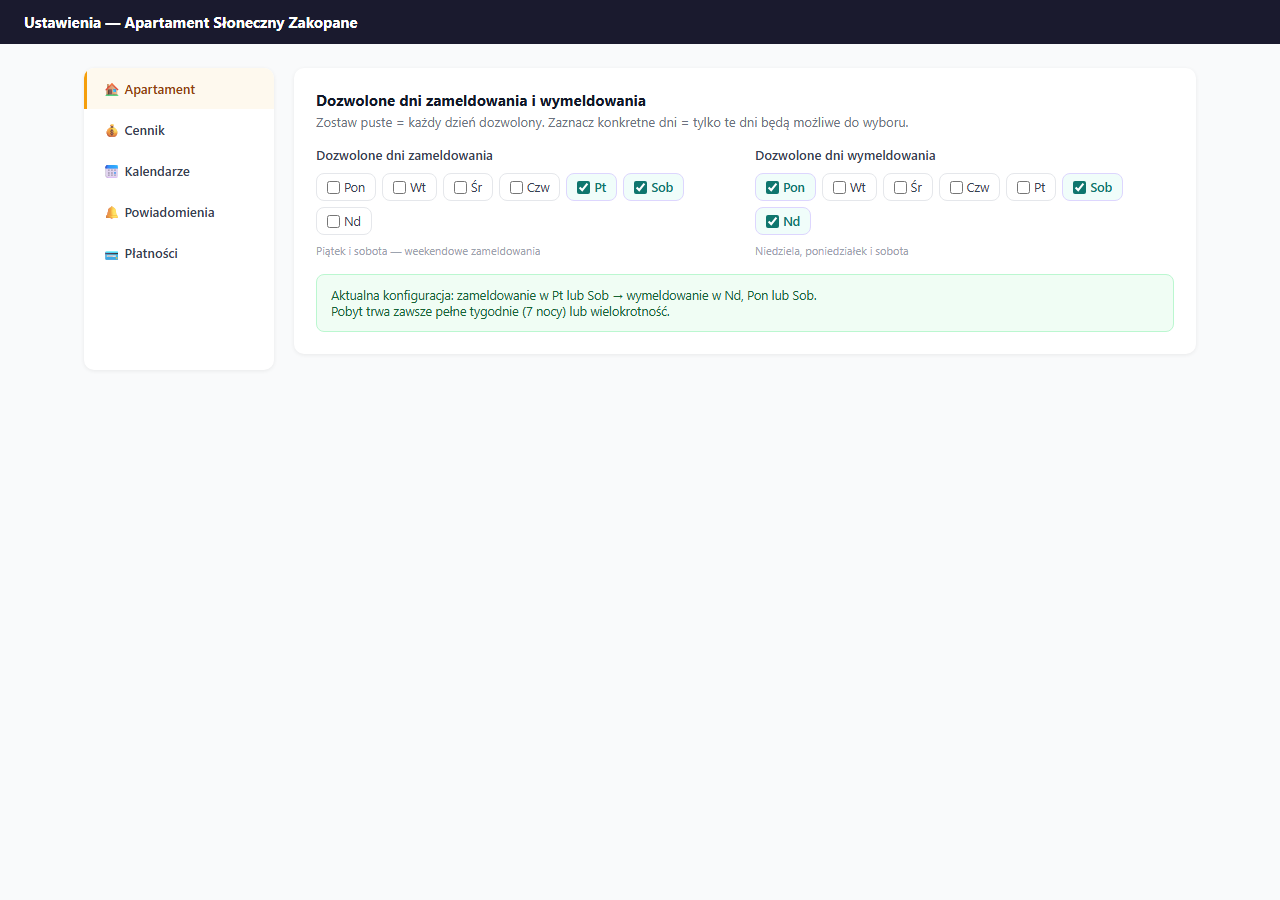
Settings → Apartment → the "General information" section → the "Allowed check-in days" and "Allowed check-out days" checkboxes.
How it works
When you tick specific days — only those days will be selectable as check-in or check-out in the guest booking form.
Empty fields (default) = every day of the week allowed.
Common configurations
Saturday-to-Saturday rotation (holiday apartments)
- Check-in: ☑ Saturday
- Check-out: ☑ Saturday
- Stay: always 7, 14 or 21 nights
Friday-to-Monday rotation (long weekend)
- Check-in: ☑ Friday
- Check-out: ☑ Monday
- Stay: always 3 nights
Flexible weekend rotation
- Check-in: ☑ Friday, ☑ Saturday
- Check-out: ☑ Sunday, ☑ Monday, ☑ Saturday
- Stay: 2–8 nights in various combinations
No restrictions (city/short-term apartments)
- Check-in: (empty — any day)
- Check-out: (empty — any day)
What the guest sees
In the calendar on the guest page, disallowed check-in days are grayed out — the guest can't select them as an arrival date. Similarly with check-out days — the form will force a choice among the allowed days.
If the guest tries to manually enter a date outside the allowed ones, the form shows an error and blocks the booking submission.
Effect on date visibility
Restricting check-in days can make many dates appear "unavailable" even though they're free — the guest simply can't check in on that day. Keep this in mind when analyzing your page's conversion.
If you use check-in days, add a note in the apartment description or guest FAQ: "Apartment available on a weekly cycle: check-in on Saturday, check-out on Saturday".
Saving
Click "💾 Save apartment settings".
Related articles: Minimum stay · Gap between bookings