The base price is the rate that applies when no day-of-week or seasonal price is set for a given day. It's the starting point for the whole pricing structure.
Where to set it
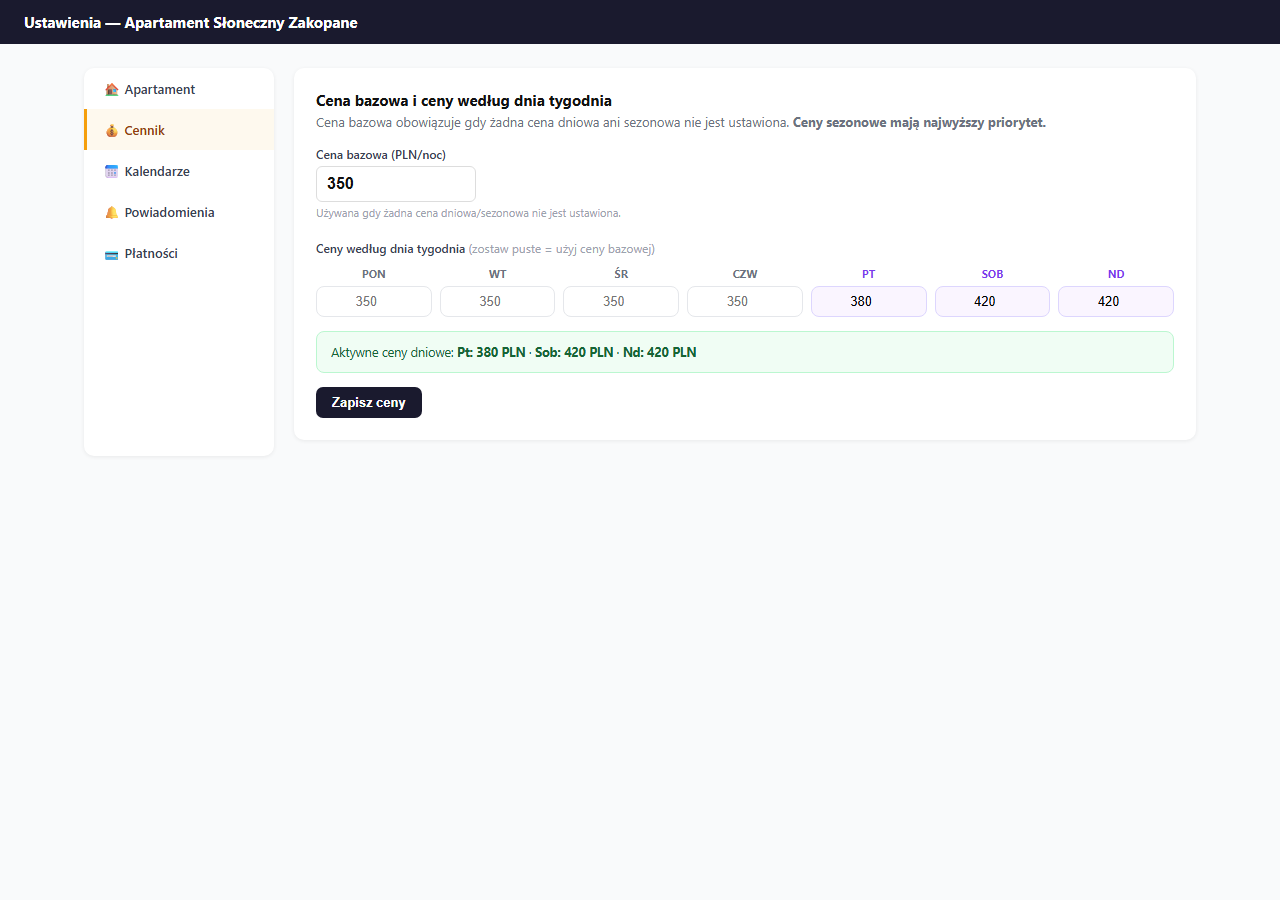
Settings → Pricing → the "Base price and day-of-week prices" card.
Price priority — what applies when
The system applies prices in a strict hierarchy:
- Seasonal price — the highest priority, overrides everything else (e.g. Summer: 520 PLN)
- Day price — a specific rate for a day of the week (e.g. Saturday: 420 PLN)
- Base price — the fallback when no rule matches (e.g. 350 PLN)
Example: if you have Summer 520 PLN and Saturday 420 PLN — on a summer Saturday 520 PLN applies (seasonal wins).
Base price
Enter the rate in the "Base price (PLN/night)" field and click "Save prices". This is the minimum price guests will see off-season on weekdays.
A good starting point: check how much similar apartments in your area cost on Booking.com mid-week, off-season.
Day-of-week prices
Weekend days (Fri, Sat, Sun) are highlighted with a purple background — a reminder that they usually differ from weekdays.
Rule: leave a field empty = use the base price. Enter a value = override the base price for that day.
Example configuration for an apartment at 350 PLN/night:
| Day | Price | Logic |
|---|---|---|
| Mon–Thu | (empty) | 350 PLN — base price |
| Friday | 380 PLN | +30 PLN — start of the weekend |
| Saturday | 420 PLN | +70 PLN — peak demand |
| Sunday | 420 PLN | +70 PLN — like Saturday |
After saving, the panel shows a green bar with the active day prices — check that the values are correct.
Saving
Click "Save prices" — this form saves only the base and day prices (a separate save from the rest of the settings).
Related articles: Seasonal prices · Extra-guest surcharge · Additional fees · Long-stay discount · Last-minute discount · Promo codes