The minimum stay is a restriction that prevents guests from booking shorter than the given number of nights. You can set one global limit for the whole year or different limits for specific periods.
Where to set it
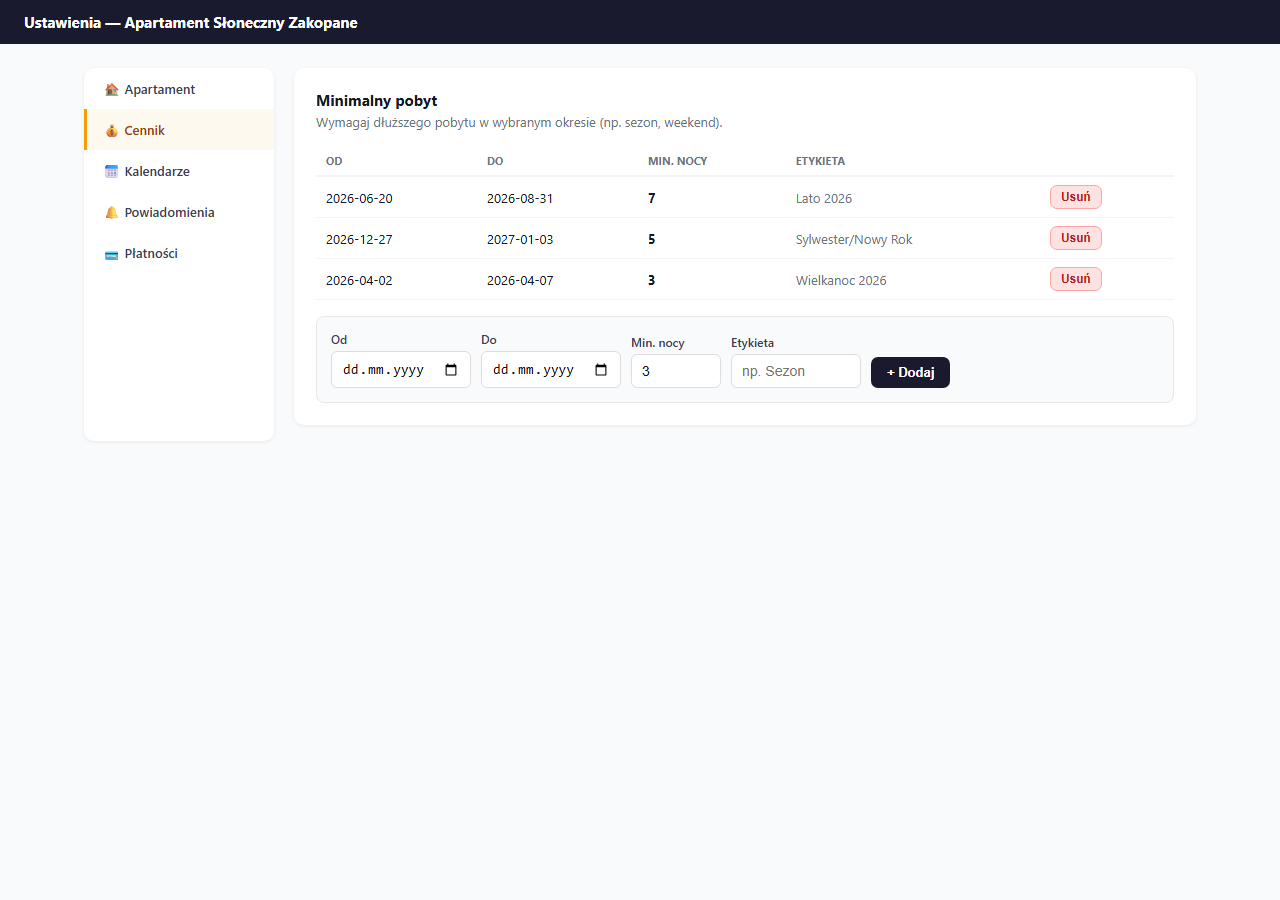
Settings → Pricing → the "Minimum stay" card.
Global minimum stay
For the minimum number of nights, use the Minimum stay section in the Pricing tab — add a rule covering the whole year, or leave the list empty (no global limit).
In practice, most owners don't set a global limit, only seasonal ones.
Seasonal minimum stay
Seasonal rules work on date ranges. For each rule you provide:
- From / To — the period the rule applies to
- Min. nights — the required minimum number of nights
- Label — a description visible only in the panel (e.g. Summer 2026)
Example configuration
| Period | Dates | Min. nights | Reason |
|---|---|---|---|
| Summer | 20.06–31.08 | 7 | Weekly rental in peak season |
| New Year's | 27.12–03.01 | 5 | Long-weekend minimum |
| Easter | 02.04–07.04 | 3 | Weekend minimum |
| May long weekend | 01.05–05.05 | 3 | Weekend minimum |
Outside these periods — no limit (1 night allowed).
What the guest sees
When a guest selects dates shorter than the minimum stay, the form shows the message: "Minimum stay for the selected dates: X nights" and blocks the booking submission.
If the guest selects dates spanning different periods (e.g. end of season and off-season) — the rule of the period in which the check-in falls applies.
Overlapping rules
If two rules overlap on the check-in day, the one whose period starts earlier (the earliest "From" date) is applied. When planning, avoid overlapping periods — if an earlier rule has a lower limit, it overrides a higher-limit rule that starts later.
Removing a rule
Click "Delete" next to the chosen rule. The removal is immediate.
Related articles: Seasonal prices · Long-stay discount · Allowed check-in days · Minimum and maximum lead time